How To Choose A PCB Holder For Soldering: A Practical Guide
A good PCB holder keeps a circuit board steady while leaving the solder joints, components, and work area accessible. To choose one, match its clamping range and support style to your board, then check that it stays stable and lets you reach the areas you need to solder. Adjustable positioning can help with awkward layouts, but a simple fixed holder may be easier for small, straightforward jobs.
The right holder should secure the board without bending it, blocking useful access, or making you reposition it constantly. Here’s what to compare before choosing one.
Match the holder to your PCB
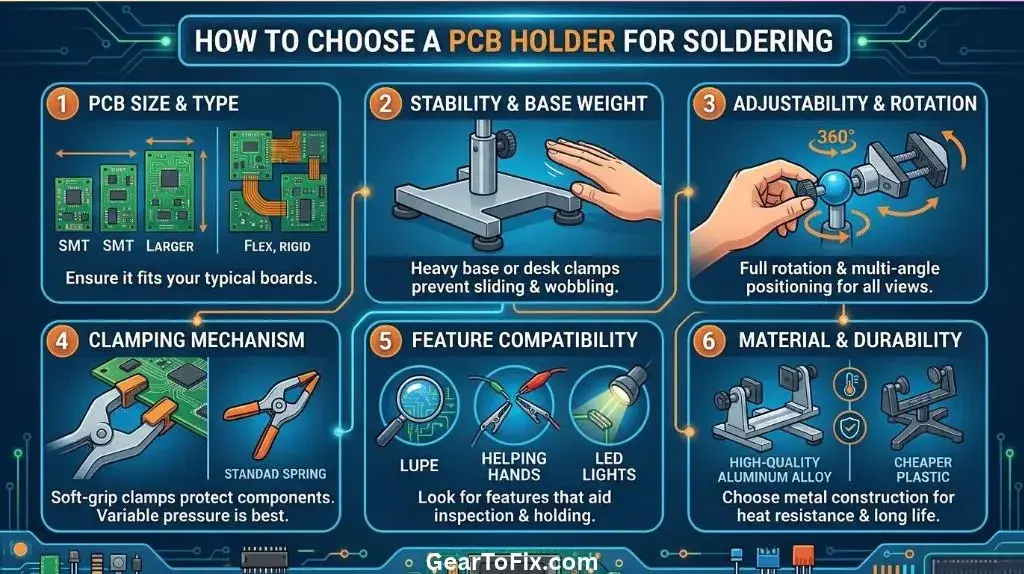
Start with the board’s dimensions, thickness, shape, and approximate weight. A holder that works well for a small rectangular board may not grip a large, irregular, or unusually thin one.
Check the holder’s clamping range and how it grips. Some use clips or jaws at the edges; others support the board in a frame or between adjustable rails. Confirm that the gripping points can land on areas that are free of components, connectors, and fragile traces. If the board has no clear edges to clamp, look for a design with flexible support positions or multiple contact points.
Also consider how you will use the holder:
- For small boards and occasional repairs: A compact holder or adjustable clips may be enough.
- For larger boards: Look for a wider frame, several support points, or a substantial base that won’t tip easily.
- For irregularly shaped boards: Flexible jaws or movable supports can offer more placement options.
- For work on both sides: Choose a holder that can release or reposition the PCB without forcing it against a fixed support.
A holder should hold the board securely, not compensate for a poor fit by squeezing harder. Excessive pressure can flex a board or damage components and edge contacts.
Compare PCB holder styles
Different designs suit different work. A holder that is convenient for a quick repair may be frustrating during repeated soldering or when working with a crowded board.
| Holder style | Useful for | Check before choosing |
|---|---|---|
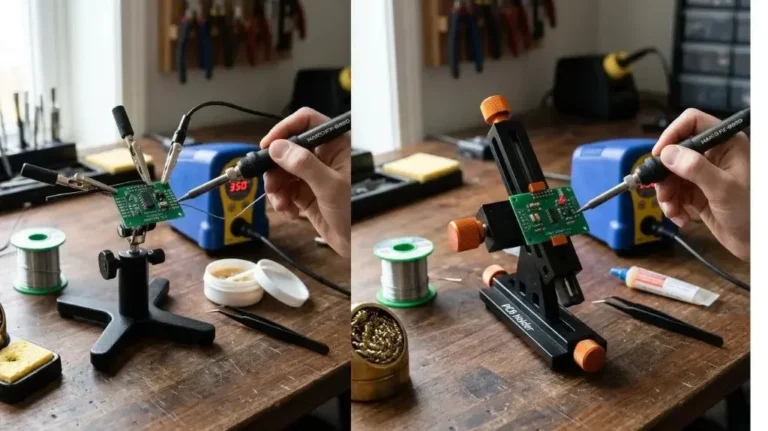
| Fixed PCB stand | Simple jobs on boards that fit its supports | Whether the board can be positioned without blocking the work area |
| Adjustable PCB vise or frame | Boards of different sizes and access to different sides | Clamp range, adjustment method, and how securely it locks |
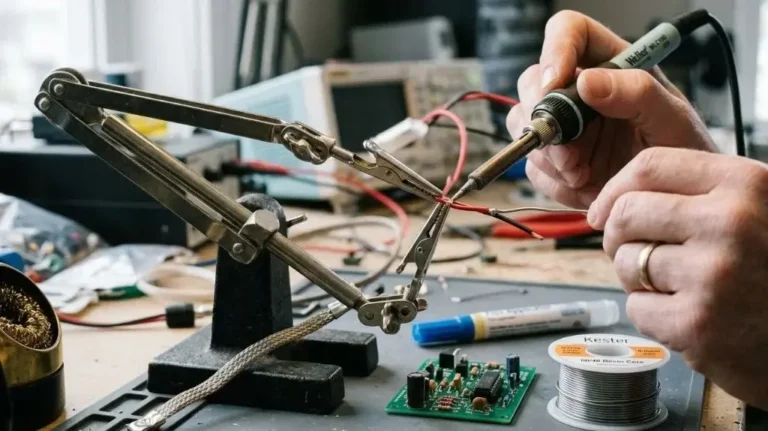
| Helping-hands clips | Small tasks where flexible positioning is useful | Whether the clips grip the board safely and remain steady |
| Rotary or tilting holder | Reaching joints at different angles | Whether the board can be locked in position during soldering |
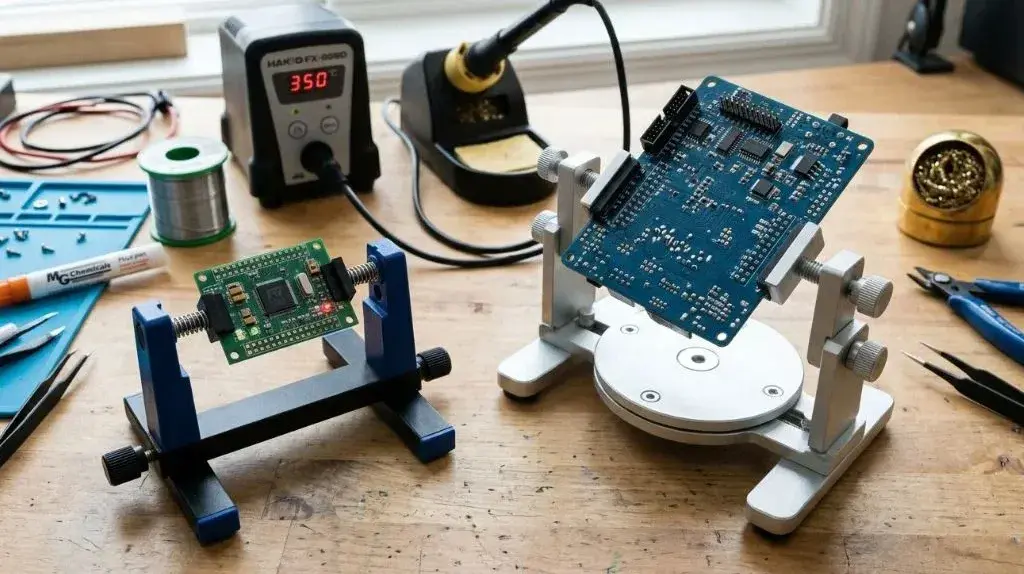
A fixed stand often has fewer adjustments to manage. An adjustable frame can accommodate more board shapes, but its joints and clamps need to stay put once positioned. Helping-hands clips can offer flexible placement, though small clips may not support a larger board evenly. A rotating holder is useful only if it can be locked securely; a board that shifts while you solder can be harder to control.
Check stability and clamping pressure
A PCB holder should remain steady when you touch the board with a soldering iron or tweezers. A narrow, lightweight base may move or tip, particularly if the board extends far beyond the support.
Look for a base and support arrangement that balance the board rather than letting it act like a lever. If possible, position the PCB near the center of the holder and avoid leaving a heavy section unsupported. A heavier base can improve stability, but the holder still needs suitable clamp placement and a secure locking mechanism.
The clamps should grip firmly without crushing or bowing the PCB. For thin boards, spread support across more than one point when the design allows it. Avoid clamping across delicate components, connectors, exposed contacts, or areas that could be damaged by pressure.
Make sure you can reach the solder joints
A holder can be secure and still be poorly suited to soldering if it blocks the part of the board you need to work on. Before settling on a design, consider where the clamps, rails, and frame sit relative to the solder pads and components.
Useful features may include:
- Adjustable clamp positions so the grips can move away from the work area
- Open space below the PCB for through-hole leads or access to the underside
- Removable or releasable supports for turning the board over
- Tilt or rotation for viewing and reaching joints at a comfortable angle
- Enough clearance for the soldering iron, solder wire, and your hands
A holder that allows access to both sides can save time, but rotating the board is not a substitute for a stable lock. If the board shifts when you apply light pressure, secure it again before soldering.
Consider setup, materials, and adjustment
The holder should be straightforward to position and tighten. If adjustments require several loose joints or awkward knobs, you may spend more time correcting the setup than working on the board. At the same time, a simple design is only useful if it fits the PCB and gives adequate access.
Check the holder’s construction around the areas exposed to heat. The soldering iron should not rest against the holder, and plastic parts or coated surfaces should not be placed where they could contact a hot iron or solder. Materials and heat tolerance differ between designs, so follow the manufacturer’s guidance rather than assuming a holder is heatproof.
If you work with static-sensitive electronics, consider the holder as one part of your work setup—not as proof that the PCB is protected from electrostatic discharge. Use appropriate ESD precautions for the board and components. A holder’s appearance or material alone does not establish that it is ESD-safe or grounded.
Choose features that solve a real problem
More adjustments are not automatically better. Select features based on the work you do most often.
A swivel or tilt mechanism can make small joints easier to see, but it adds another point that must lock firmly. Flexible clips can hold small items in position, yet may be less suitable for a broad board that needs support at several edges. A magnifier or light may help with inspection, but it does not improve the holder’s grip or stability.
Before choosing extra features, ask:
- Will this feature help with a board size or soldering task I actually handle?
- Can I adjust it without losing a secure hold?
- Does it leave the work area clear?
- Will it make the holder harder to store or position?
If you solder only small, simple boards, a compact holder may be sufficient. For varied boards or repeated work, an adjustable frame may offer more flexibility, provided it remains stable.
Set up the PCB holder before soldering
A careful setup reduces the chance of the board moving while you work.
- Inspect the PCB. Identify fragile components, connectors, exposed contacts, and areas that should not be clamped.
- Place the supports. Choose contact points that hold the board without pressing on components or forcing it to bend.
- Tighten gently. Secure the board enough to prevent movement, then check that it remains flat and undamaged.
- Position the work area. Make sure the soldering iron can reach the joints and that through-hole leads have clearance where needed.
- Test stability. Apply light pressure with a tool or fingertip to confirm the board does not shift. Do this with the iron away from the board.
- Reposition when needed. If you must turn the PCB over or reach a blocked area, release and secure it again rather than forcing the board against the holder.
Keep the holder clear of the hot iron and molten solder. A stable setup helps with control, but it does not replace careful soldering technique or suitable ventilation for the work.
Common PCB holder mistakes
- Choosing by board size alone: A PCB may fit within a holder’s dimensions but still have no safe place for the clamps to grip.
- Clamping on components: Pressure on connectors, capacitors, or other parts can cause damage. Grip suitable bare edges or approved support areas instead.
- Over-tightening: More pressure is not always more stability. Stop when the board is secure and check that it remains flat.
- Ignoring access underneath: Through-hole work may require clearance for protruding leads and access to the reverse side.
- Assuming an adjustable joint will stay fixed: Test the lock before bringing a hot iron near the board.
- Treating the holder as ESD protection: Confirm the holder’s properties and use appropriate ESD controls for sensitive electronics.
FAQs About How To Choose A PCB Holder For Soldering
Is a PCB holder necessary for soldering?
Not for every job, but it can help keep a board steady and leave both hands available for solder and tools. A holder is especially useful when the PCB is small, difficult to grip, or needs to be positioned at a particular angle.
Can I use helping hands to hold a circuit board?
Yes, if the clips can grip suitable areas without damaging the board and the base remains stable. Check that the clips do not press on components or block the joints you need to reach. For a larger PCB, a frame with broader or more distributed support may be a better fit.
Should a PCB holder rotate?
Rotation is useful when you need to reach different sides or angles without removing the board. Choose a design that locks securely in the position you need. If the joint slips under light pressure, rotation may make soldering harder rather than easier.
How tightly should a PCB be clamped?
Tighten it only enough to prevent movement. The board should not bow, twist, or show pressure damage. If it still shifts, reposition the supports or add a suitable contact point instead of simply increasing the force.
Does a PCB holder protect against electrostatic discharge?
Not necessarily. ESD protection depends on the holder’s design and its role in a properly managed work setup. Do not assume that a holder is ESD-safe or grounded based on appearance; follow suitable ESD precautions for sensitive components.
Final Verdict
Choose a PCB holder that fits the board, grips it without bending or damaging it, and stays steady while leaving the solder joints accessible. For simple, occasional work, a basic holder may be enough. For varied boards or access to multiple sides, an adjustable design can help but only if its clamps and joints lock securely.

Scott Yarnell is a tool expert focused on practical guides, product research, and real-world tool performance to help readers make informed decisions.