How Helping Hands Tools Work For Soldering: Easy Guide
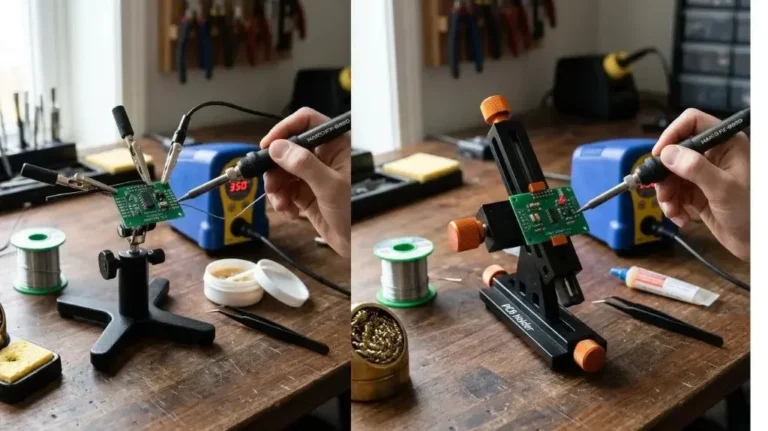
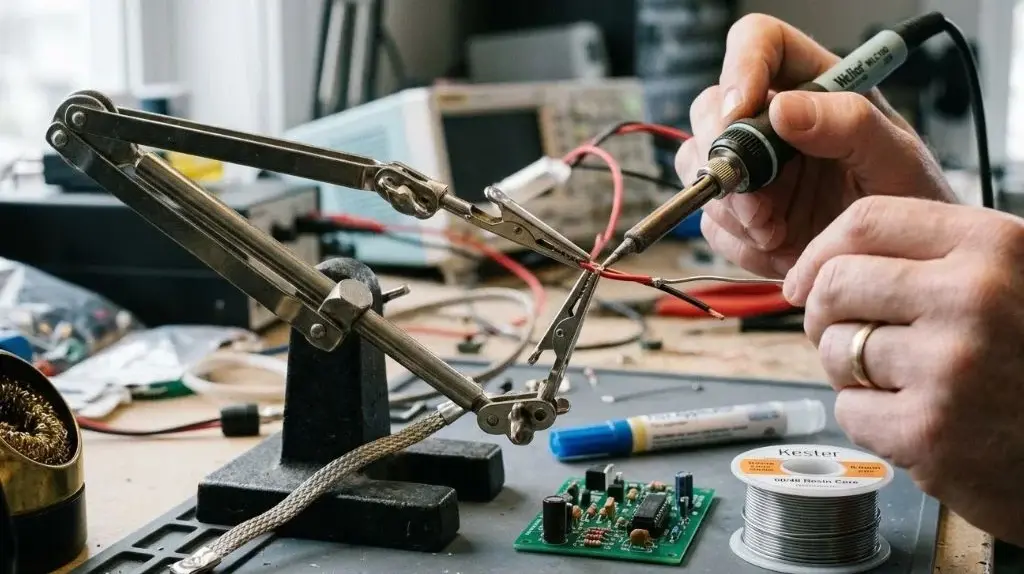
A helping hands tool often called a third hand works by mechanically locking small components, wires, or circuit boards into a fixed position using adjustable arms and clamps mounted to a heavy base. During soldering, a technician needs one hand to guide the soldering iron tip and the other hand to feed the solder wire. Because human hands are fully occupied by the iron and solder, the helping hands tool acts as a stationary anchor, holding the joint steady so heat and solder can be applied with precision.
Without physical support, components shift under the thermal pressure of the soldering tip. This movement creates cold solder joints, bridges across dense pins, or burned wire insulation. By using mechanical friction, ball joints, or flexible gooseneck arms, helping hands eliminate mechanical vibration and hold workpieces at precise angles, making complex soldering tasks controllable and repeatable.
The Mechanical Principles Behind Helping Hands Tools
Helping hands operate on three main mechanical concepts: mass stability, friction-lock articulation, and spring-loaded clamping force. Together, these mechanics turn a weight on a workbench into a rigid fixture capable of supporting delicate electronic assemblies.
Base Counterweight and Vibration Dampening
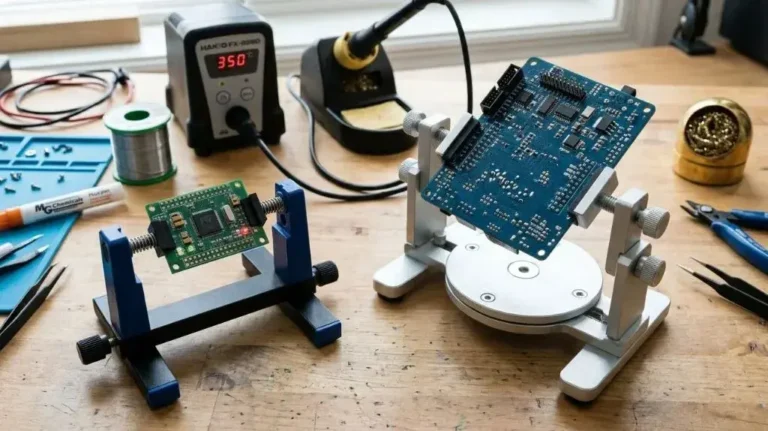
The base serves as the physical center of gravity for the entire assembly. Traditional models use heavy cast-iron bases, while modern modular systems utilize machined aluminum or steel plates with non-slip rubber feet.
The mass of the base must exceed the combined leverage weight of the extended arms and the workpiece. If the center of gravity shifts outside the footprint of the base, the tool tips over. The physical mass also absorbs small vibrations from hand movements or bench bumpings, keeping the solder joint perfectly motionless while the liquid metal alloy solidifies.
Articulated Arms and Position Retention
Helping hands hold positions through two primary arm designs:
- Classic Ball-and-Socket Bars: These consist of solid steel rods connected by knurled thumb screws and double-socket clamps. Tightening the thumb screw increases compressive friction against the steel balls, locking the arm in place along multiple axes of rotation.
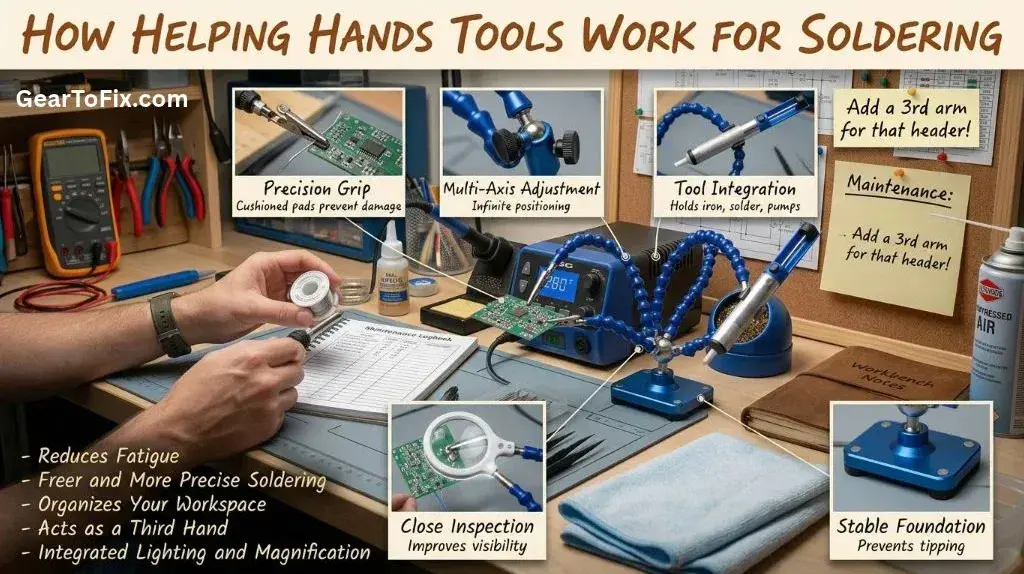
- Flexible Gooseneck Arms: Constructed from linked plastic sockets (similar to coolant hoses) or flexible coiled metal tubing, these arms hold their position through internal mechanical tension and friction between interlocking segments. They offer continuous positioning without needing screw adjustments.
Spring-Loaded Clamping Action
At the end of each arm sits an alligator clip or threaded clamp jaw. Standard alligator clips rely on an internal torsion spring to maintain continuous clamping pressure against the object being held. This constant mechanical force keeps wires from slipping when heat reduces friction across smooth plastic coatings or wire strands.
Key Components of a Soldering Helping Hands Assembly
While basic models feature just a base and two clips, complete modern helping hands incorporate several integrated tools designed to streamline the soldering process.
Adjustable Arms and Alligator Clips
The main functional ends of the tool are spring-loaded alligator clips attached to the ends of the arms. The serrated metal jaws bite into component leads, bare wire ends, or printed circuit board (PCB) edges. Because standard steel jaws can crush soft wire insulation or scratch copper traces on circuit boards, practical setups usually feature heat-resistant silicone sleeves slipped over the metal teeth.
Optical Magnification
Many helping hands include a central magnifying glass mounted on an independent center arm. Magnifying lenses (typically ranging from 2X to 5X optical power) enlarge small surface-mount device (SMD) pads, fine wire strands, and small component markings. High-end setups often incorporate integrated ring lights or LED arrays around the frame of the lens to eliminate shadows thrown by the technician’s hands or the soldering iron tip.
Integrated Iron Stands and Accessories
Advanced helping hand platforms consolidate an entire soldering workstation into a single base plate. These frequently feature:
- A coiled wire soldering iron holder to keep the hot iron tip safe between joints.
- A brass wire sponge well or cellulose sponge tray for tip cleaning.
- Spool holders for solder wire or desoldering wick.
- Flux bottle holders and small magnetic trays to retain loose hardware.
Comparing Helping Hands Tool Configurations
Not all helping hands work the same way under different working conditions. Choosing the right style depends on workpiece size, weight, and the level of precision needed.
| Feature / Type | Traditional Cast-Iron Dual Clip | Modular Multi-Arm Gooseneck | Heavy-Duty Magnetic Base |
|---|---|---|---|
| Arm Style | Rigid steel bars with screw joints | Flexible plastic/metal goosenecks | Heavy flex-arms on magnetic mounts |
| Number of Arms | 2 arms | 4 to 6 arms | 2 to 4 high-tension arms |
| Stability Level | Moderate (can tip under offset load) | High (wide aluminum or steel plate) | Very High (attaches to steel work surfaces) |
| Best Used For | Basic wire splicing and light work | Complex PCBs, harness assembly, micro-electronics | Heavy circuit boards, large connectors, automotive wiring |
| Primary Limitation | Limited reach and awkward joint screws | Arms can recoil or spring back slightly | Requires a ferrous metal surface or thick steel plate |
How to Set Up and Use Helping Hands for Soldering
Using a helping hands tool properly requires careful setup to protect your circuit boards from damage, keep components securely aligned, and maintain clear access for your soldering iron.
Step 1: Secure the Base on a Heat-Safe Work Surface
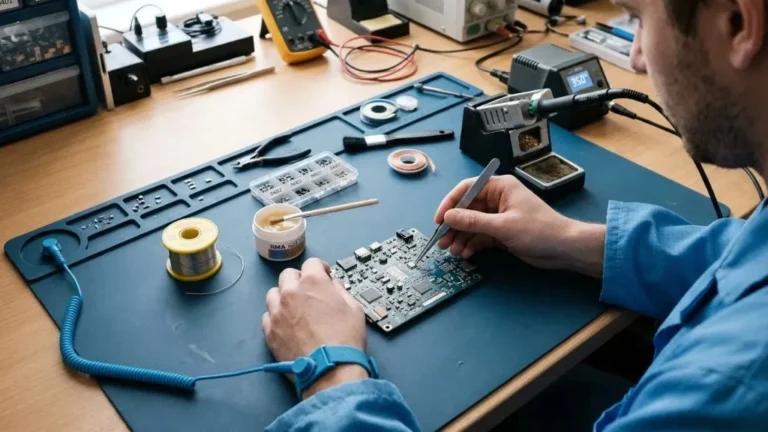
Position the base of the tool directly in front of your work area on a flat, non-flammable surface such as a silicone soldering mat. Ensure the rubber foot pads are clean and free of dust so the base does not slide while you apply mechanical pressure with the soldering iron tip.
Step 2: Protect Delicate Components from Clip Jaws
Serrated steel jaws can mar copper pads, cut through soft silicone wire jacketings, or crack fragile glass diodes. Slide heat-shrink tubing or silicone protective sleeves over the jaw teeth before clamping sensitive parts. If protective sleeves are unavailable, wrap a small layer of electrical tape around the clip tips to cushion the grip.
Step 3: Clamp and Align the Workpiece
Mount your primary component (such as a circuit board or main wire bundle) into one arm’s clip. Use the second arm to hold the secondary component (such as a lead wire, resistor, or pin header). Adjust the arm joints so the two parts meet cleanly without applying structural strain to either piece.
Important: The joint interface should rest loosely together under its own alignment rather than being forced into contact under high tension. Tension in the arms can cause parts to snap back when solder melts, splashing molten metal.
Step 4: Position Magnification and Lighting
If your helping hand unit includes a magnifying lens, swing it directly above the target joint. Adjust the height until the joint comes into crisp focus. Angle any integrated LEDs away from smooth metallic surfaces to minimize direct glare that can hide poor solder flow or solder bridges.
Step 5: Execute the Solder Joint
With both of your hands completely free:
- Hold your hot soldering iron in your dominant hand and the solder wire in your non-dominant hand.
- Apply the iron tip to make contact with both the component pin and the copper board pad simultaneously.
- Feed solder directly into the heated joint—not against the iron tip.
- Remove the solder wire first, followed immediately by the iron tip.
- Hold your breath or keep clear of the joint for 2–3 seconds while the molten alloy transforms into a solid, shiny joint.
Step 6: Allow Heat Dissipation Before Release
Metal alligator clips act as thermal heat sinks. They absorb heat from the soldering iron and stay warm after the joint cools. Wait 5 to 10 seconds after soldering before opening the clips to avoid disturbing the setting solder or burning your fingers on heated jaw metal.
Common Mistakes When Using Helping Hands
Even simple mechanical tools can introduce quality issues if misused. Avoiding these basic operational mistakes ensures clean solder joints and prevents component damage.
- Clamping Directly onto PCB Copper Traces: Bare metal clips can gouge fine copper traces on double-sided or multi-layer circuit boards, causing invisible short circuits or open traces. Always clip onto raw board edges or unplated mounting holes.
- Over-Extending Flexible Arms: Stretching gooseneck arms to their full physical length reduces their lateral load holding capacity. Keep the arms bent in mild arches to maintain maximum clamping stability.
- Melting Plastic Gooseneck Joints: Bringing a 350°C (662°F) soldering iron tip too close to plastic arm segments can melt the articulated joints. Always keep plastic gooseneck sections at least an inch away from direct thermal radiation paths.
- Relying on Clips for Grounding: Do not use the steel arms or clips of a helping hand tool as an electrical ground path during testing. The joint friction surfaces generate unreliable resistance and can lead to misleading electrical readings.
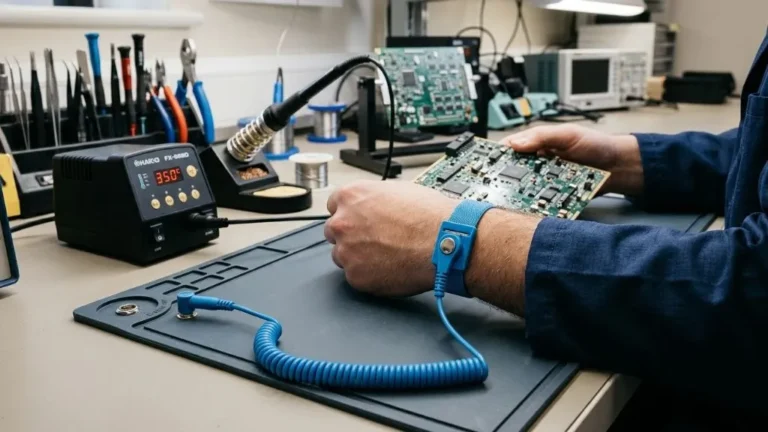
- Ignoring ESD Precautions: Standard plastic gooseneck arms and painted metal bases build up static charges that can discharge into sensitive Integrated Circuits (ICs). When working with electrostatic discharge (ESD) sensitive parts, select specialized ESD-safe helping hands with grounded metallic bases and conductive silicone jaw sleeves.
Maintenance and Care for Helping Hands Tools
Maintaining helping hands tools requires minimal effort, but regular care ensures smooth joint movement and secure clamping performance over time.
- Cleaning Jaw Teeth: Flux residue collects on alligator clips during soldering. Over time, burned flux leaves a slick coating that reduces jaw grip. Clean clip teeth periodically using a nylon brush dipped in isopropyl alcohol (IPA).
- Tightening Articulation Screws: Threaded thumb screws on traditional ball-and-socket arms loosen under repeated thermal cycling and physical adjustment. Periodically clean the ball joints with alcohol to remove oil buildup and tighten loose mounting screws to prevent arm droop.
- Replacing Worn Alligator Clips: The internal springs in cheap alligator clips weaken over time due to heat exposure. Most helping hands use standard threaded or riveted clip mountings, allowing you to replace damaged or loose clips without replacing the entire tool assembly.
FAQs About How Helping Hands Tools Work For Soldering
Can helping hands hold heavy circuit boards?
Standard lightweight dual-clip helping hands are designed for small PCBs and wire splices under a few ounces. For heavy or large circuit boards, use a multi-arm base plate system, a dedicated magnetic base fixture, or a weighted PCB vise with wide clamping jaws.
How do I stop alligator clips from scratching wire insulation?
Slide short pieces of heat-shrink tubing over the teeth of each clip and shrink them in place with a heat gun. The flexible polyolefin or silicone surface provides high-friction grip without biting into soft plastics or scratching copper pads.
Why does my helping hands tool keep tipping over?
Tipping occurs when the combined center of mass of the extended arms and workpiece extends past the footprint of the base. To resolve this, pull the arms closer to the center axis of the base, add a heavier metal plate underneath, or bolt the base directly to your work surface.
Are gooseneck arms better than ball-and-socket arms?
Gooseneck arms offer faster, unlimited positioning adjustments and usually come attached to wider, stable base plates. Ball-and-socket steel arms offer better heat resistance and zero elastic spring-back, making them better for high-heat soldering tasks near the joint tips.
Do helping hands draw heat away from the solder joint?
Yes. Because alligator clips are made of metal, clamping them too close to a solder joint pulls thermal energy away from the iron tip like a heatsink. To prevent cold solder joints, position clips at least 1/2 inch away from the soldering target, or use a higher-wattage iron setting to compensate for thermal loss.
Final Takeaway
A helping hands tool solves the primary physical limitation of soldering: needing to hold two tools while securing two components at once. By replacing human hands with stationary, mechanical clamps attached to a solid base, these tools eliminate movement during the critical cooling phase of a solder joint.
For quick wire connections and occasional hobby repairs, a simple dual-clip cast-iron model provides essential support. For intricate electronics, multi-layer circuit boards, or surface-mount work, a heavy multi-arm gooseneck or magnetic system with cushioned jaws provides the flexibility, stability, and heat protection required for professional-quality results.

Scott Yarnell is a tool expert focused on practical guides, product research, and real-world tool performance to help readers make informed decisions.