How To Solder Small Electronics Components: Easy Guide
How to solder small electronics components successfully depends on three things: a clean, temperature-controlled iron, stable positioning, and a small amount of solder. The goal is to heat the component lead and circuit-board pad together so the solder flows over both surfaces without overheating nearby parts.
The process is manageable for beginners, but small components leave little room for excess solder or movement. This guide explains the tools, preparation, soldering technique, common problems, and safety practices that help produce clean, reliable joints.
Tools and Materials You Need
Before heating the iron, gather everything needed for the job. Small electronics work is easier when the board, components, solder, and tools are within reach.
Useful supplies include:
- Temperature-controlled soldering iron
- Fine or small-to-medium conical or chisel tip
- Electronics solder with a suitable flux core
- Soldering stand and brass wool or a damp sponge
- Fine-tip tweezers
- Small flush cutters
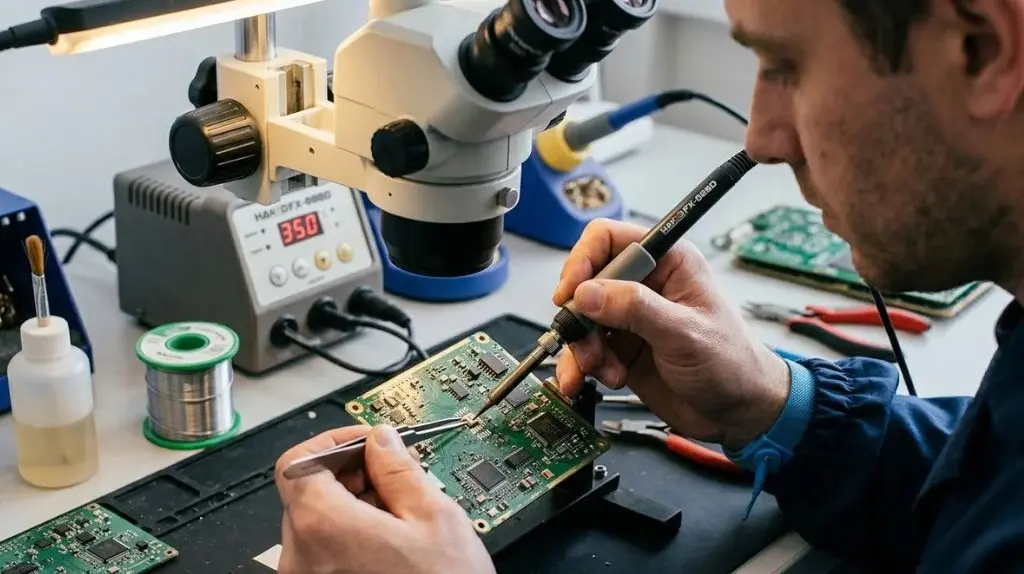
- Magnifying glass, head-mounted magnifier, or inspection camera
- PCB holder or other stable fixture
- Isopropyl alcohol and a lint-free swab for cleaning
- ESD-safe mat or wrist strap when working with static-sensitive parts
- Adequate lighting
- Safety glasses
A fine tip is useful for closely spaced pins, but the smallest possible tip is not always the best choice. A very narrow tip holds less heat and may make it harder to heat the pad and component lead evenly. Choose a tip that fits the joint while still transferring heat efficiently.
Choosing Solder
Electronics solder is designed to flow onto copper pads and component leads. Avoid plumbing solder, acid-core solder, and general-purpose solder intended for non-electronic work because their flux can damage circuit boards or leave conductive residue.
Solder is available in leaded and lead-free formulations. Leaded solder often melts and flows more easily, while lead-free solder is widely used for regulatory and environmental reasons. Use the type appropriate for the project and follow its handling guidance. Do not mix solder types casually on a repair unless you understand the consequences.
Thin solder is generally easier to control on small components. If the solder wire is too thick, it is easy to add more material than the joint requires.
Prepare the Work Area and Circuit Board
Good preparation prevents many soldering problems. Place the circuit board in a holder so it cannot move when you touch it with the iron or tweezers.
Before soldering:
- Disconnect the circuit from power, batteries, USB sources, and other equipment.
- Inspect the board and identify the correct component locations.
- Check the component orientation, especially for diodes, LEDs, electrolytic capacitors, integrated circuits, and other polarized parts.
- Clean visible dirt, oil, or oxidation from the pads if necessary.
- Secure the board so both hands remain available.
- Arrange the iron, solder, cutters, and tweezers where they can be reached safely.
- Turn on ventilation or use suitable fume extraction.
Flux smoke should not be deliberately inhaled. Work in a well-ventilated area, and wash your hands after handling solder, particularly when using leaded products.
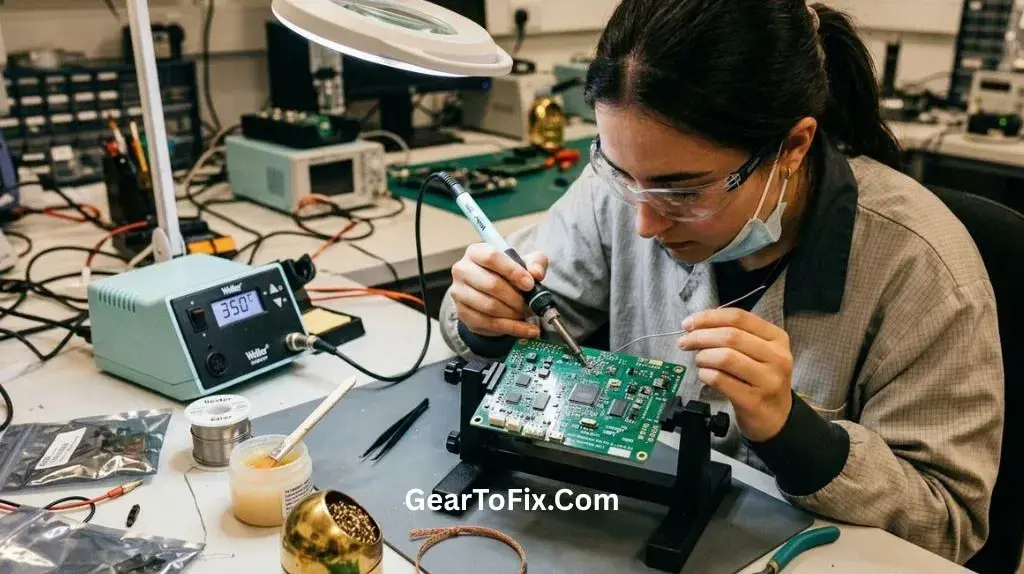
Set Up the Soldering Iron
Use a temperature-controlled iron rather than an uncontrolled high-power iron when working on small electronics. Temperature control helps the tip recover heat while reducing the risk of damaging pads, plastic parts, and heat-sensitive components.
The correct setting depends on the solder type, board design, component size, and tip. Use the solder manufacturer’s guidance when available. If the iron is too cool, solder may not flow properly and you may keep the tip on the joint too long. If it is too hot, flux burns away quickly and pads or components can be damaged.
Before making a joint:
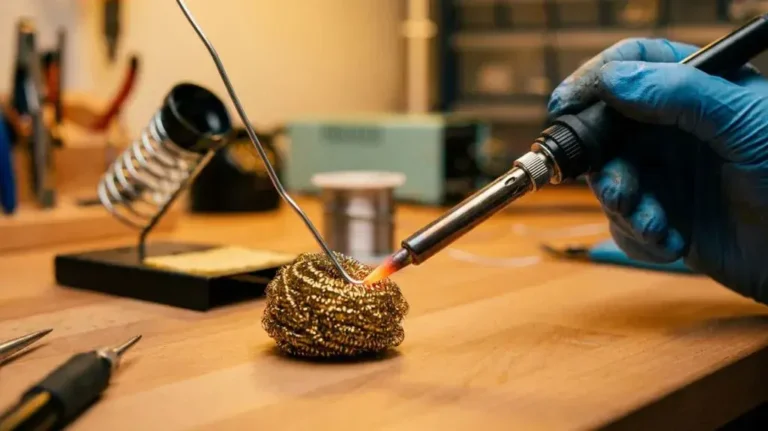
- Clean the tip.
- Apply a small amount of solder to the working surface of the tip.
- Keep the tip lightly coated rather than completely dry.
- Return the iron to its stand whenever you are not using it.
The thin layer of solder on the tip helps transfer heat between the iron and the joint. A dry, oxidized tip often causes poor heat transfer.
How to Solder Small Electronics Components Step by Step
The exact technique varies between through-hole and surface-mount components, but the basic principle is the same: heat the pad and the component connection together, then feed solder into the heated joint.
1. Place and Secure the Component
Insert a through-hole component into the correct holes and bend the leads slightly on the underside to hold it in place. For a surface-mount component, use tweezers to position it accurately on the pads.
Do not rely on solder to hold a component in the correct position while you work. A component that shifts during soldering can create bridges, weak connections, or incorrect orientation.
For polarized parts, compare the marking on the component with the board’s polarity mark before soldering. A reversed component may prevent the circuit from working or may be damaged when power is applied.
2. Make a Temporary Joint When Positioning Surface-Mount Parts
For small surface-mount components, it is often easier to secure one end before soldering the remaining connections.
- Hold the component with tweezers.
- Touch the iron to one pad.
- Add a small amount of solder to that pad.
- Remove the iron while keeping the component aligned.
- Check that the part is still positioned correctly.
- Solder the remaining side or pins.
- Return to the first joint and add a small amount of solder if needed.
This technique is especially useful for resistors, capacitors, diodes, and other two-terminal parts. Avoid flooding the first pad with solder because the component may sit at an angle.
3. Heat the Pad and Lead Together
Place the side of the iron tip against both the copper pad and the component lead or terminal. The solder should contact the heated joint, not merely the iron tip.
A good joint forms when both surfaces reach a temperature that allows the solder to flow. Touching solder only to the iron can leave solder sitting on the surface without properly bonding to the pad and lead.
Apply heat briefly and steadily. The amount of time depends on the joint size and equipment, so avoid treating a fixed time as universal. If the solder does not flow, remove the iron, clean the tip, and reassess the tip contact, temperature, and condition of the surfaces rather than repeatedly heating the same area.
4. Feed in a Small Amount of Solder
Once the pad and lead are hot, touch the solder wire to the joint. Feed only enough solder to create a smooth connection around the lead or terminal.
For small components, excess solder is one of the most common problems. Too much can join two adjacent pads or hide a poor connection underneath a large blob.
The solder should flow around the connection rather than form a loose ball. If it beads up, the surfaces may be dirty, oxidized, insufficiently heated, or lacking adequate flux.
5. Remove the Solder Before the Iron
When enough solder has flowed, remove the solder wire first. Then lift the iron away from the joint. This sequence helps prevent excess solder from being dragged across nearby pads.
Allow the joint to cool without moving the component. Do not blow on it or deliberately cool it with liquid. Movement while the solder is solidifying can produce a dull, cracked, or unreliable connection.
6. Trim Through-Hole Leads
After the joint has cooled, use flush cutters to trim excess component lead close to the solder connection. Position the cut-off end so it does not fly toward your face or nearby circuitry.
Do not trim so aggressively that you crack the solder joint or damage the pad. If the lead moves during cutting, inspect the joint afterward.
How to Solder Surface-Mount Components
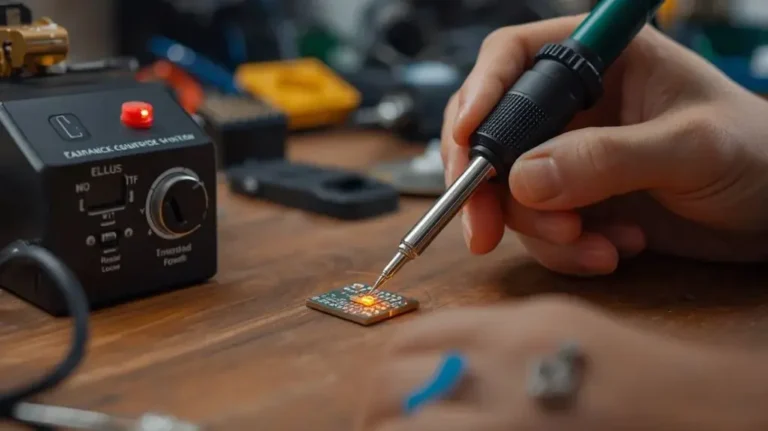
Surface-mount devices, often called SMD components, are soldered directly to pads on the surface of the circuit board. They can be very small, but the same principles apply: precise placement, clean surfaces, controlled heat, and limited solder.
Two-Terminal SMD Components
Resistors, ceramic capacitors, diodes, and similar parts commonly have two terminals.
A practical sequence is:
- Add a small amount of solder to one pad.
- Hold the component with tweezers.
- Reheat the pad and slide the component into position.
- Remove the iron and let the first side solidify.
- Solder the opposite terminal.
- Inspect both joints.
- Reheat the first joint only if it needs correction.
The component should rest flat and align with the pads. If one end is raised, too much solder may be present on one side.
Small ICs With Multiple Pins
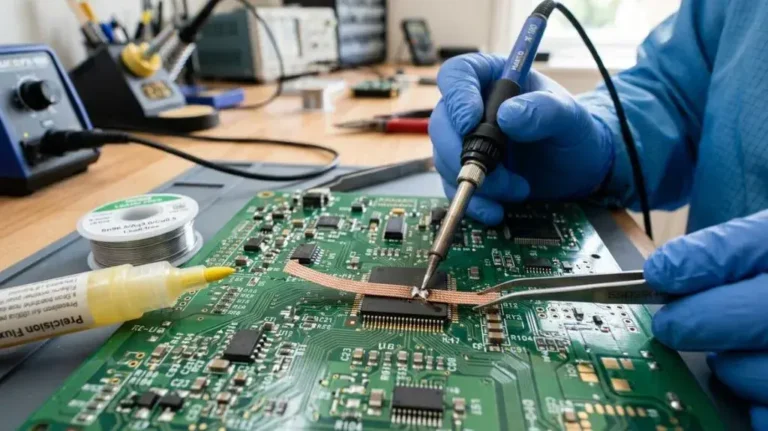
Integrated circuits with closely spaced pins require more control. Apply the correct orientation first, then tack one or two corner pins to hold the package in place. Check the alignment before soldering the remaining pins.
If solder bridges several pins together, add flux and use a clean soldering tip or solder wick to remove the excess. Avoid dragging the iron aggressively across the pins, since that can lift pads or move the component.
For very fine-pitch parts, specialized techniques such as drag soldering may be useful, but they require good magnification and careful flux control. Beginners should practice on inexpensive boards before working on valuable equipment.
What a Good Solder Joint Looks Like
A reliable solder joint should:
- Fully connect the component terminal and the copper pad
- Have enough solder to cover the connection without forming a large lump
- Remain fixed when the component is gently checked
- Avoid touching adjacent pads or pins
- Show no obvious cracks or gaps
- Leave the component correctly positioned
Appearance can vary with solder type and flux, so a shiny surface is not the only sign of a good joint. Lead-free solder may appear different from leaded solder. Electrical continuity and firm mechanical attachment also matter.
Use magnification to inspect small joints. Look for tiny solder bridges, partially wetted pads, lifted component ends, or solder that sits on top of the connection rather than flowing around it.
Common Soldering Problems and Their Solutions
| Problem | Likely cause | Practical solution |
|---|---|---|
| Solder forms a ball and will not spread | Dirty or oxidized surfaces, insufficient heat, or poor flux activity | Clean the area, clean the tip, add suitable flux if appropriate, and heat the pad and terminal together |
| Large blob of solder | Too much solder or an oversized wire | Remove excess with solder wick or a solder sucker, then resolder with less material |
| Two adjacent pins are connected | Solder bridge caused by excess solder | Add flux and remove the bridge with clean solder wick or a properly tinned tip |
| Component moves after soldering | It was not secured or was disturbed while cooling | Reheat the joint, reposition the part with tweezers, and allow it to cool without movement |
| Pad lifts from the board | Excessive heat, force, or repeated rework | Stop heating, inspect the damage, and repair the trace only if you understand the required procedure |
| Joint looks cracked or grainy | Movement during cooling or poor wetting | Reheat the joint with a clean tip and add a small amount of fresh solder if needed |
| Solder does not melt well on the tip | Oxidized or contaminated tip | Clean and re-tin the tip; replace it if the working surface is damaged |
| The component works intermittently | Weak joint, cracked pad, or damaged trace | Inspect under magnification and test continuity while gently checking the connection |
A poor joint is not always caused by the solder itself. Board contamination, damaged copper, incorrect component placement, and excessive mechanical stress can also create problems.
Common Mistakes to Avoid
Holding the Iron on the Joint Too Long
More heat does not necessarily create a better connection. Prolonged heating can damage small components, weaken board pads, and cause nearby parts to shift. Use appropriate heat, good tip contact, and a controlled technique instead of repeatedly reheating the same area.
Applying Solder to the Iron First and Carrying It to the Board
A small amount of solder on the tip can help transfer heat, but the main solder should be fed into the heated pad and component connection. Carrying a large drop of solder from the iron often produces poor coverage and excess material.
Using Too Much Solder
A large mound may hide an incomplete connection and can easily bridge neighboring pads. Start with less solder than you think you need. Additional solder can be added, while removing a large excess takes more time and heat.
Ignoring Component Orientation
Not every component can be installed in either direction. Check markings before soldering, especially on polarized capacitors, diodes, LEDs, transistors, and integrated circuits.
Working Without Magnification
A joint may look acceptable at normal distance but contain a bridge or an incomplete connection. Magnification is inexpensive compared with replacing a damaged board.
Cleaning the Tip Incorrectly
A heavily oxidized tip transfers heat poorly. Keep it lightly tinned and clean it using the method recommended for the tip material. Avoid abrasive treatment that can remove the protective surface.
Testing a Live Circuit During Soldering
Never solder a powered circuit. Disconnect all power sources before making changes. After the work is complete, inspect the board carefully for bridges, reversed components, stray wire strands, and tools left on the circuit before applying power.
Cleaning the Board After Soldering
Flux residue may remain after soldering. Whether it should be removed depends on the solder and flux formulation, the board’s intended use, and the manufacturer’s guidance.
If cleaning is appropriate, use a suitable electronics cleaner or isopropyl alcohol with a compatible brush or lint-free swab. Avoid soaking components or using a cleaner that can damage plastics, labels, switches, displays, or conformal coatings.
Allow the board to dry fully before testing. If residue is sticky, corrosive, or potentially conductive, do not ignore it.
Inspect and Test the Finished Work
Before powering the circuit, inspect every soldered connection under magnification.
Check for:
- Solder bridges between neighboring pads
- Unsoldered or partially soldered pins
- Reversed polarized components
- Loose parts
- Lifted pads
- Damaged traces
- Stray clipped leads or wire fragments
- Solder splashes on the board
A continuity test can help confirm that a connection is electrically complete, but continuity alone does not prove that a neighboring pad is not accidentally connected. Test for unwanted connections as well as the intended ones.
For repairs, compare the board with a schematic, service documentation, or clear reference image when available. If the circuit involves mains voltage, high-energy batteries, or other dangerous power sources, specialized knowledge and additional precautions are necessary.
Frequently Asked Questions Of How To Solder Small Electronics Components
What size soldering iron tip is best for small electronics?
A small-to-medium tip that fits the joint is usually more useful than the smallest available tip. A very fine tip can be helpful for tightly spaced pins, while a slightly broader tip may transfer heat more effectively to a pad and lead together.
Can I solder small components without flux?
Many electronics solder wires contain flux, so additional flux may not always be necessary. Extra electronics-safe flux can help with oxidized surfaces, fine-pitch pins, and rework, but avoid acid flux intended for plumbing or metal fabrication.
Why does my solder keep sticking to the iron instead of the circuit board?
The board pad or component lead may be dirty, oxidized, or not hot enough. The iron may also have a contaminated tip or poor contact with both surfaces. Clean and lightly tin the tip, then place it so it heats the pad and terminal together.
How do I remove excess solder from a tiny component?
Solder wick is commonly used to remove excess solder from small pads and pin bridges. Apply suitable flux, place the wick over the unwanted solder, and briefly heat it with the iron. Use only enough heat to remove the solder, since repeated heating can damage pads.
Is a magnifying glass necessary for small electronics soldering?
It is not always necessary for larger through-hole joints, but magnification becomes extremely helpful for surface-mount components and closely spaced pins. It allows you to find bridges, gaps, and misaligned parts before they cause trouble.
How can I tell whether a component was damaged by heat?
A damaged component may show discoloration, cracking, melting, altered markings, or a change in electrical behavior, but some heat damage is not visible. If a circuit fails after soldering, inspect the joint, component orientation, nearby pads, and electrical values rather than assuming the component is defective.
Final Takeaway
How to solder small electronics components comes down to controlled heat, accurate placement, clean surfaces, and small amounts of solder. Secure the board and component, heat the pad and terminal together, feed solder into the joint, and inspect the result under magnification.
Work unpowered, ventilate the area, protect against burns and solder splashes, and stop if a pad or component begins to overheat. With careful preparation and practice on spare boards, even fine surface-mount connections become much more manageable.

Scott Yarnell is a tool expert focused on practical guides, product research, and real-world tool performance to help readers make informed decisions.