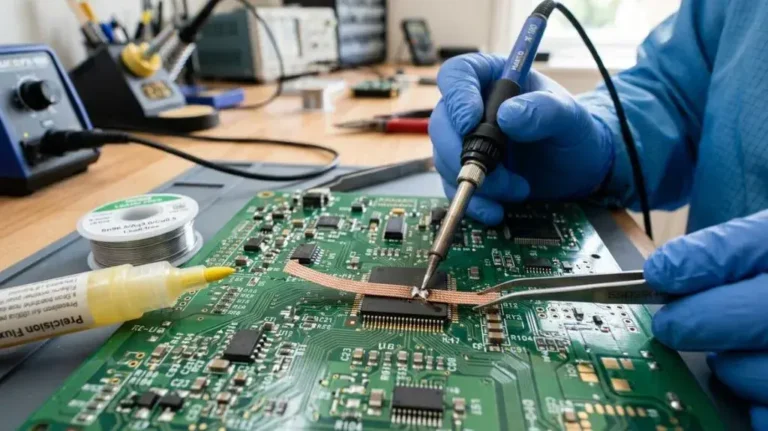
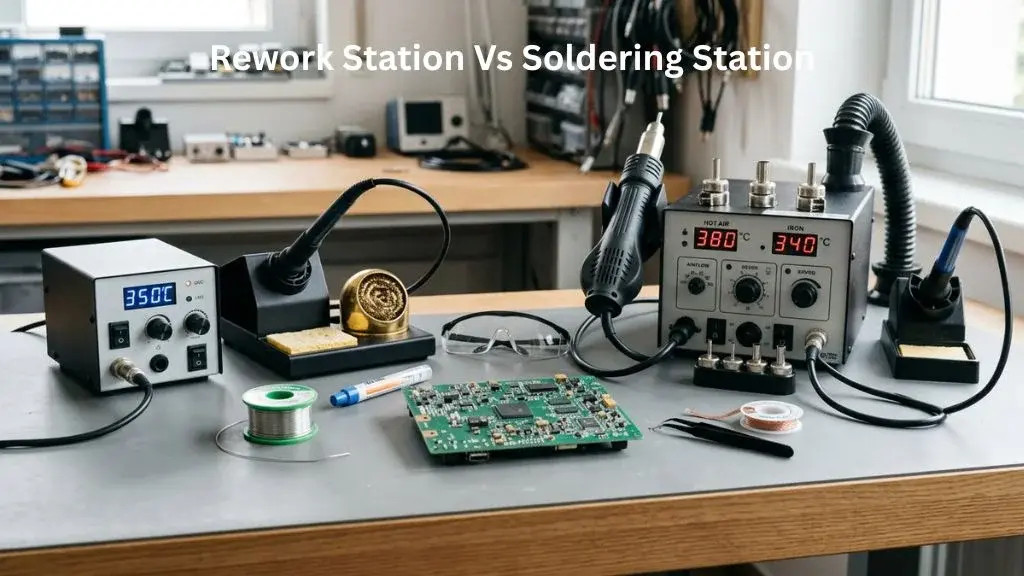
Rework Station vs Soldering Station: Features and Capabilities
Are you trying to choose between a rework station vs soldering station for your bench? I spent weeks using both tools on real projects. I fixed guitar cables and swapped tiny microchips on circuit boards.
A digital soldering station is perfect for daily hobby work and clean joint quality on standard boards. But if you need to desolder multi-pin parts or do surface-mount work, a hot air gun is a lifesaver. This guide shares my honest, hands-on take on which tool actually fits your skill level, projects, and budget.
Side-by-Side Specs Comparison
Before we dive into the daily bench experience, let us look at the raw numbers. This quick breakdown shows how these two units compare in power, size, and heat control.
| Feature | Product 1 (Rework Station) | Product 2 (Soldering Station) |
|---|---|---|
| Price | Mid-Range | Budget-Friendly |
| Wattage | 700W | 75W |
| Temperature Range | 100°C – 500°C | 100°C – 480°C |
| Airflow Range | 120 L/min (Max) | N/A |
| Heat-Up Time | 10 seconds | 15 seconds |
| Display Type | Dual Digital LED | Single Digital LED |
These technical specs only tell part of the story on paper. The real test is how they handle on a messy workbench during a long repair session.
Unboxing and First Impressions
Product 1, the hot air rework station, arrived in a heavy cardboard box with three different metal nozzles. The unit had a slight factory paint smell on the first power-up, but that cleared out within ten minutes. The heavy metal housing felt tough and did not slide around when I pulled the thick air hose.
Product 2, the digital soldering station, felt much lighter and took up half the desk space. The package came with five different soldering tips and a roll of lead-free solder. The thin iron cord felt highly flexible, which made my first few solder joints feel easy and natural.
Build Quality and Components
Let us look at how these tools are actually built to survive daily workbench abuse.
Housing and Grip Material
Product 1 uses a thick steel chassis with a solid plastic cradle for the hot air gun. The handle feels a bit chunky in small hands, but the heat shielding works well to keep your fingers cool. Product 2 has a hard plastic base that is very light, and the iron grip uses soft rubber that stays comfortable for hours.
Tip and Nozzle Quality
The solder tips on Product 2 show great build quality and resist tip oxidation if you keep them clean. Swapping tips is easy, though the fit was slightly looser than I wanted on my unit. Product 1 uses metal nozzles that twist-lock into place, but swapping them while the tool is hot takes some practice and a pair of pliers.
Heating Element Type
Product 2 uses a ceramic heating element inside the iron for fast heat-up time. Product 1 relies on a heavy-duty skeleton heating element to warm up the fast-moving air. Both options feel durable, but the ceramic element in the iron feels like it will last longer under daily thermal cycles.
Cord or Cable Durability
The thick rubber air hose on Product 1 is stiff and sometimes fights you when aiming at tiny board pads. In contrast, the silicone cord on Product 2 is incredibly limp and never drags on your hand. This makes a massive difference in hand fatigue when you are doing fine-pitch work for an hour.
Ease of Use and Handling
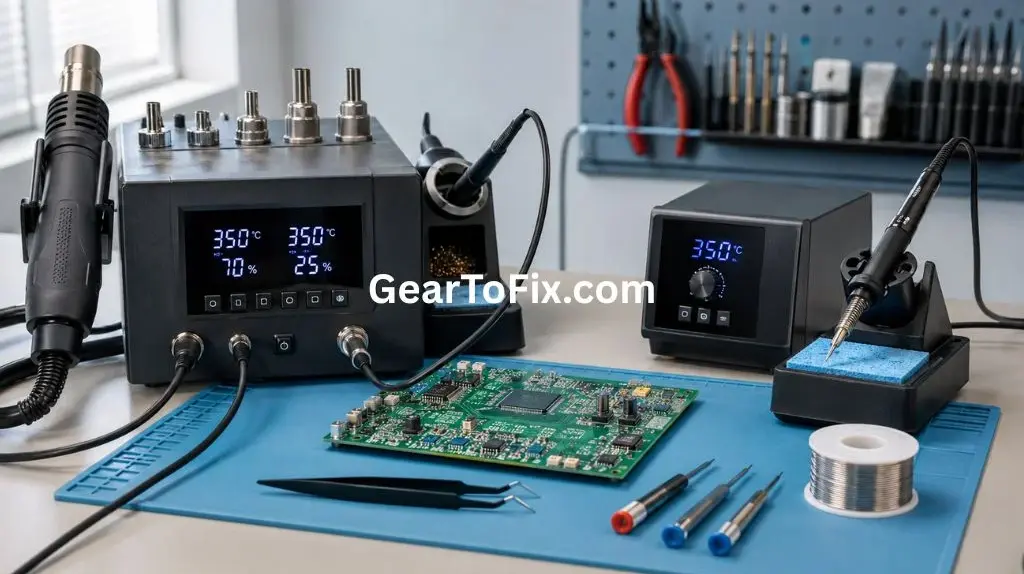
Using a rework station vs soldering station reveals a very different learning curve for beginners.
The soldering station is very intuitive because you just touch the hot tip to the wire and feed the solder. Your muscle memory builds fast, and the light iron makes precise moves simple. The digital display is easy to read, and the sleep mode is helpful for keeping the tip from burning up when you walk away.
The hot air rework station requires much more practice to master airflow control and board safety. If your airflow is too high, you will watch nearby components shift or blow right off the circuit board. It is a slower, louder process that requires a steady hand and constant movement to avoid board discoloration from holding heat in one spot too long.
Performance and Reliability Over Time
I put both tools through weeks of daily repairs to see if they would drift or lose power.
Over time, the soldering station held its temperature accuracy incredibly well, and joints stayed bright and shiny. I only had to re-tin the tip once a week to keep oxidation away. The hot air gun ran cleanly, but the fan noise became a bit tiring during long desoldering sessions.
Heat-Up Time and Temperature Stability
Getting to work quickly is essential when you have a pile of broken gear waiting on your bench.
Product 2 goes from cold to 350°C in about fifteen seconds, which is impressively fast. The recovery time between joints is barely noticeable, so you can move from pad to pad without waiting. Product 1 takes about ten seconds to blow hot air, but it takes longer to heat up the actual copper on a thick ground plane. If the board absorbs heat too fast, you might need to pre-heat the whole area to avoid damaging the pads.
Design and Build Comparison
How these tools sit on your workspace impacts your daily bench routine and comfort.
| Feature | Product 1 (Rework Station) | Product 2 (Soldering Station) |
|---|---|---|
| Material | Heavy Sheet Metal and ABS | Tough ABS and Silicone |
| Handpiece Balance | Front-heavy with air hose | Excellent and lightweight |
| Label / Display Clarity | Dual LED (Wind & Temp) | Single clear LED |
| Portability | Fairly bulky for travel | Very easy to pack |
| Bench Footprint | Medium (Eats some space) | Small (Saves desk room) |
Product 2 is the clear winner for a small desk or a portable travel kit. Product 1 is better suited as a permanent fixture on a dedicated repair bench.
Fumes and Ventilation — What You’ll Notice While Working
Soldering always creates some smoke, but the two tools spread that fume and smoke in completely different ways.
The traditional iron on Product 2 melts flux locally, sending a thin stream of smoke straight up into your face if you do not use a fan. The smell is strong, but it is easy to manage with a small desktop filter.
The hot air gun on Product 1 blows air across the entire work area, which scatters the fumes everywhere. This makes the smoke smell less intense in one spot, but it fills the whole room much faster. You will absolutely need active ventilation or an open window when running the rework gun for more than five minutes.
Temperature Control and Precision
Precise heat control keeps you from lifting delicate copper traces off expensive circuit boards.
| Feature | Product 1 (Rework Station) | Product 2 (Soldering Station) |
|---|---|---|
| Digital Precision | Adjusts by 1-degree steps | Adjusts by 1-degree steps |
| Temperature Range Usefulness | Wide (100°C – 500°C) | Good (100°C – 480°C) |
| Suitable for Fine-Pitch Work | Excellent for tiny chips | Excellent for fine wires |
| Recovery Speed | Moderate (Air takes time) | Fast (Direct contact) |
| Sleep/Idle Behavior | Auto-cools in cradle | Drops temp after 10 mins |
Both tools let you lock in your target heat, but they deliver that energy in different ways. Product 2 gives instant heat right at the joint, while Product 1 wraps the whole component in warm air for a gentler melt.
Ease of Use and Daily Bench Routine
Your daily workflow depends on how fast you can clean up and put your tools away.
| Task | Product 1 (Rework Station) | Product 2 (Soldering Station) |
|---|---|---|
| Setup and Power-On | Press power and lift handpiece | Flip switch and go |
| Cleanup After Use | Let gun run auto-cool down | Wipe tip on brass sponge |
| Storage Convenience | Bulky hose needs careful wrapping | Small base fits on shelf |
| Cooldown Time Before Storage | 5 minutes (Must wait for fan) | 2 minutes |
For quick, five-minute repairs, the soldering station is much easier to turn on, use, and shut down. The rework station requires a bit more patience, especially during the auto-cooldown cycle before you can safely switch it off.
Long-Term Performance and Durability
After a month of heavy use, the build quality of both units showed their true colors.
The soldering iron handle on Product 2 held up great, and the cord remained soft and flexible. The tip did not pitting or lose its plating, which is a common issue with cheaper beginner tools.
The hot air handpiece on Product 1 still runs quietly, but the fan motor has developed a tiny vibration at high speeds. It still heats perfectly, but the wear from thermal expansion is obvious. I expect to replace the heating element in the hot air gun long before the soldering station needs any major parts.
Price and Value for Money
You can find both of these tools at very reasonable prices on major online hobby stores.
Product 2 offers incredible value if you only build keyboard kits, repair guitar wiring, or solder basic boards. The low price per use makes it a no-brainer for any beginner. Product 1 costs more, but if you do heavy SMD rework or desolder broken microchips, it pays for itself on the very first repair.
How It Compares to Similar Products
Let us look at how these bench tools stack up against other common options on the market.
| Tool Type | Best Use Case | Skill Level Required |
|---|---|---|
| Basic Iron | Quick simple wires | Beginner |
| Combo Unit | All-in-one bench | Intermediate |
| Dedicated Station | Daily board work | Beginner to Pro |
Standard Pencil-Style Soldering Iron
A basic pen-style iron is cheap, but it lacks any real temperature control and has a stiff cord. It takes minutes to heat up and burns tips quickly compared to the digital soldering station.
All-In-One Combo Stations
Combo units put both a hot air gun and an iron into one single box. They save space, but if one side breaks, you have to replace or repair the whole bulky unit.
Who Should Buy Which?
- Buy Product 1 (Rework Station) if: You need to work on surface-mount devices (SMD), swap multi-pin microchips, shrink plastic tubing, or salvage components from old boards.
- Buy Product 2 (Soldering Station) if: Your projects involve through-hole circuit boards, guitar wiring, general electronics repair, or you want a simple, beginner-friendly tool.
- Consider Neither If: You only need to join heavy copper household pipes or heavy-gauge automotive battery cables, which require a high-wattage solder gun or torch.
Long-Term Ownership Considerations
Owning a rework station vs soldering station means managing different types of wear and consumables over the years.
Solder tips for Product 2 are cheap, easy to find, and take seconds to swap out. You can buy them in multi-packs for the price of a cup of coffee.
Product 1 requires replacement heating elements and occasionally a new fan motor if you run it for hours at high heat. The warranty coverage for both products is typically one year, which covers basic component failures. Your annual cost to run the soldering station is virtually zero, while the rework station might need a new handpiece eventually.
Power Output and Efficiency: Rework Station vs Soldering Station
Power draw is another major difference when comparing a rework station vs soldering station.
Product 2 pulls around 75 watts at peak, which is highly efficient and keeps your electricity bill low. This lower wattage is still plenty to heat up joints quickly because the ceramic element transfers heat directly to the copper.
Product 1 pulls up to 700 watts of power to force high-temperature air through the nozzle. This high power output is necessary to keep the air flowing at a steady temperature under load. While it uses more energy, it is highly efficient at heating large areas at once without touching the actual board.
FAQs About Rework Station vs Soldering Station
What is the main difference between a rework station and a soldering station?
A soldering station is primarily designed for precise soldering and desoldering with a heated iron tip, while a rework station typically provides additional tools, such as hot air, for working with surface-mount components and more complex repairs.
Is a rework station better than a soldering station?
Neither is universally better. A soldering station is well suited to routine soldering and precise joint work, while a rework station is more versatile for circuit board repair tasks involving different types of components.
Can a rework station replace a soldering station?
Some rework stations include a soldering iron, so they can perform many of the same tasks. However, the exact capabilities depend on the station’s design and included tools.
What can you do with a rework station?
A rework station can be used for tasks such as removing and installing surface-mount components, hot air reflow, soldering, desoldering, and other circuit board repair work, depending on its configuration.
What is a soldering station mainly used for?
A soldering station is mainly used for creating, repairing, and removing solder joints with controlled heat and a precision soldering tip.
Which is easier for beginners, a rework station or soldering station?
A soldering station is generally easier for beginners because its primary function is straightforward and focused on direct-contact soldering. A rework station may require more practice because it can involve multiple heating methods and tools.
Read more about Rework Station vs Soldering Station Here.
Final Verdict
In the battle of a rework station vs soldering station, the right choice comes down to your projects. For ninety percent of hobbyists, the digital soldering station is the best daily driver for clean joints and ease of use.
However, if you want to dive into modern electronics repair, adding a hot air gun is a game-changer. Both tools deserve a spot on your bench, but start with the soldering station if you are just beginning your journey.

Scott Yarnell is a tool expert focused on practical guides, product research, and real-world tool performance to help readers make informed decisions.