
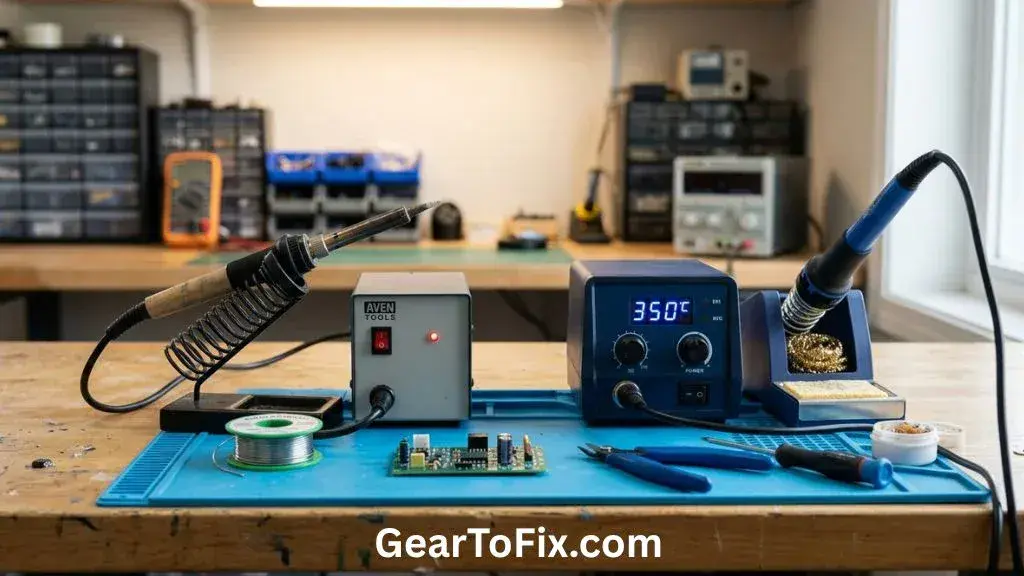
Soldering Iron vs Soldering Station: Which Bench Tool Wins?
I spent the last three weeks at my workbench testing two different heating tools on real circuit boards. If you need to make quick wire splices, a cheap pen-style iron might seem like the perfect budget choice. But if you plan to work on delicate boards, you probably need the extra control of a dedicated station.
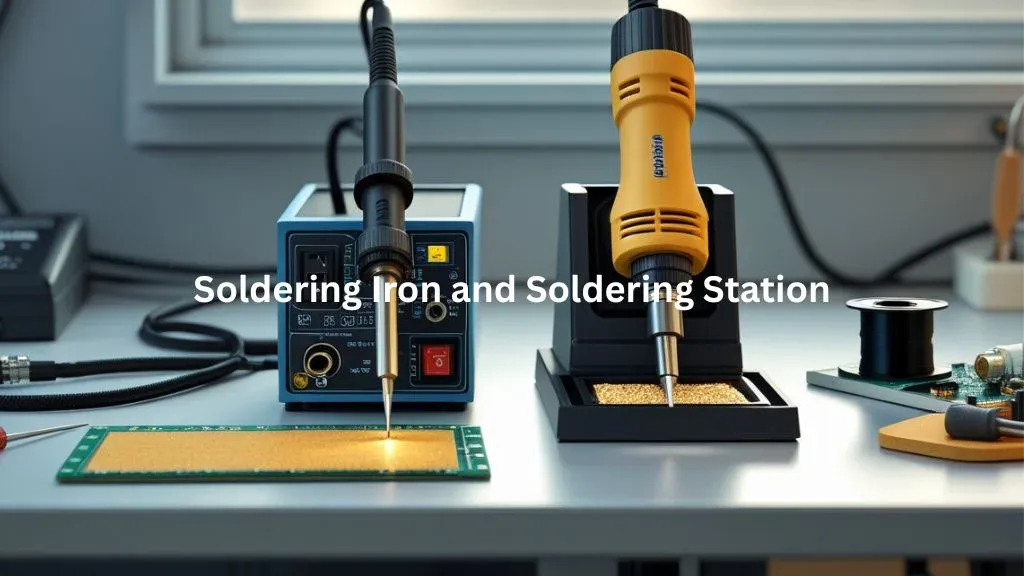
This real-world comparison looks closely at the classic debate of Soldering Iron vs Soldering Station to help you decide. I will share my honest thoughts on how both tools handled heat, messy tips, and stiff cords during my projects. Let us find out which tool fits your daily work, your bench space, and your budget.
Side-by-Side Specs Comparison
Before we look at the daily bench experience, let us look at the raw numbers. Here is how these two different tools compare on paper regarding power, price, and basic features.
| Feature | Product 1 (Basic Iron) | Product 2 (Soldering Station) |
|---|---|---|
| Price | Low (Under $20) | Moderate ($50 – $100) |
| Wattage | 60W (Fixed) | 75W (Variable) |
| Temperature Range | Fixed (approx. 400°C) | 150°C to 480°C |
| Heat-Up Time | 3 minutes | 15 seconds |
| Cord Type | Stiff PVC | Flexible Silicone |
| Warranty | 1 Year | 2 Years |
These basic specifications show a clear gap in power delivery and adjustability between the two choices. The station offers much more control, while the basic pen keeps things simple and cheap.
Unboxing and First Impressions
Unboxing the basic pen-style iron was as simple as it gets. It arrived in a basic plastic blister pack with a tiny metal sheet stand and a small tube of solder. When I first plugged it in, a thin wisp of smelly white smoke rose from the barrel as the factory oils burned off. The stiff plastic power cord immediately wanted to twist the iron out of the cheap metal stand, which felt unsafe.
The digital station felt like a major step up when it arrived in its thick cardboard box. Inside, I found the main base unit, a separate iron holder with a brass sponge, and a bundle of extra tips. The silicone cord linking the wand to the base felt incredibly soft and flexible. There was no weird smell when I powered it on, and the bright blue display lit up instantly.
Build Quality and Components
Let us break down the physical build of these two tools after weeks of hot bench use.
Housing and Grip Material
The basic pen-style iron uses a hard plastic handle that gets noticeably warm near the tip after thirty minutes. It has a simple rubber sleeve that helps with grip, but it still feels cheap in the hand. The digital station wand is much slimmer, uses high-grade heat-resistant plastic, and stays cool even during long solder sessions.
Tip Quality and Included Tip Count
The basic iron came with just one pre-installed pointed tip that turned black and refused to take solder after my first week. You have to scrub it constantly to keep it clean. The station package came with five different tip shapes, and their chrome plating has held up beautifully without any pitting.
Heating Element Type
Under the hood, the basic tool uses a cheap ceramic heater that slow-cooks the tip. The station uses an advanced ceramic element with an integrated thermocouple. This sensor feeds real-time heat data back to the main base station to keep the temperature steady.
Cord or Cable Durability
The thick power cord on the basic iron feels stiff and resists your hand movements. It fights you at the bench when you try to hit a precise angle. The station wand uses a highly flexible silicone cord that never kinks or drags against your hand.
Overall Fit and Finish
The basic iron feels like a disposable tool made for quick emergency fixes. The digital station feels solid, with a heavy base that stays put on a messy desk. Its metal iron holder is heavy enough that you will never knock it over by mistake.
Ease of Use and Handling
Handling these tools during long work sessions reveals some very clear design differences.
Using the basic iron is simple because there are no buttons, but simple does not mean easy. The stiff power cord keeps tugging at your wrist, which makes fine joints hard to hit. It is easy to burn a finger if you slip because the hot metal barrel is so long.
The digital station is a joy to handle when doing tight work on small circuit boards. The light wand feels like a pencil, giving you great control over where the solder flows. The interface is intuitive, letting you change heat levels with a simple dial. It makes long soldering tasks feel much less tiring on your hands.
Performance and Reliability Over Time
After three weeks of heavy use, the performance gap became impossible to ignore.
The basic pen struggled to hold its heat whenever I worked on larger ground planes. I had to wait several seconds between joints for the tip to get hot again. The tip also oxidized quickly, which caused solder to ball up instead of wetting the metal joints smoothly.
The digital station performed with perfect reliability day after day. Its quick heat recovery meant I could make joint after joint without stopping to wait. Even when soldering thick wires to a heavy copper pad, the station maintained its heat without any noticeable temperature drift.
Heat-Up Time and Temperature Stability
Heat control is the most important factor when you want to make clean, shiny joints.
The basic iron takes nearly three full minutes to get hot enough to melt solder. Once it gets hot, it just keeps getting hotter because it has no internal thermostat. This lack of control can easily lift copper pads off delicate circuit boards if you leave the tip on the joint for too long.
The digital station heats up from stone cold to 350°C in less than fifteen seconds. The display shows the temperature rising in real-time, which is incredibly satisfying to watch. It holds that target temperature within a few degrees, preventing cold joints and scorched circuit boards.
Design and Build Comparison
Let us look at how these two tools handle physical space on your work table.
The basic pen takes up almost no space but requires a safe spot to rest so it does not burn your desk. The station has a larger footprint but keeps all your hot tools safely in one heavy spot.
| Feature | Product 1 (Basic Iron) | Product 2 (Soldering Station) |
|---|---|---|
| Material | Thin Plastic and Steel | Steel, Heavy ABS, and Silicone |
| Grip or Handling Feel | Thick, warm, and slightly clumsy | Slim, cool, and highly precise |
| Label / Display Clarity | None (No display or dial) | Bright, clear digital LCD |
| Portability | High (fits in a small pocket) | Low (heavy base and power cables) |
| Bench Footprint | Tiny (requires small stand) | Medium (takes up a 6×6 inch area) |
| Overall Feel | Cheap and disposable | Professional and sturdy |
If you have a dedicated work table, the station is much easier to manage because it keeps the hot wand safe. The basic pen is highly portable, but its stiff cord makes it annoying to store and handle during quick tasks.
Fumes and Ventilation — What You’ll Notice While Working
Soldering always creates some smoke as the flux core inside the wire burns away. When using the basic iron, the extreme, uncontrolled heat causes the flux to burn instantly. This creates a sharp puff of thick smoke that always seems to drift straight up into your eyes and nose. The smell lingers in a small room for hours unless you open a window or run a fan.
With the digital station, the smoke is much more manageable because you can set the exact heat you need. The flux melts smoothly instead of burning off instantly, resulting in far less harsh smoke at your bench. However, you should still use a small fan or fume extractor to keep your breathing air clean during long sessions.
Temperature Control and Precision
Having exact control over your heat level is what separates a clean joint from a ruined circuit board. Let us compare how these two tools handle heat adjustments when you move between different projects.
| Feature | Product 1 (Basic Iron) | Product 2 (Soldering Station) |
|---|---|---|
| Temperature Adjustability | None (Fixed heat) | Digital dial (1-degree steps) |
| Consistency Across Joints | Poor (Heats up too much) | Excellent (Maintains exact heat) |
| Suitable for Fine-Pitch Work | No (Too clumsy and hot) | Yes (Excellent tip control) |
| Recovery Speed | Very Slow (Cooler on large joints) | Instant (Under 3 seconds) |
| Beginner Forgiveness | Low (Easy to burn parts) | High (Prevents pad damage) |
| Multi-Project Suitability | Low (Wires and simple repairs only) | High (Wires, boards, and connectors) |
The station makes it easy to switch from delicate SMD chips to heavy power wires with a turn of a dial. The basic iron forces you to use the same extreme heat for everything, which often leads to damaged components.
Ease of Use and Daily Bench Routine
How do these tools fit into your daily routine when you just want to make a quick repair? Let us look at the steps required to get to work and clean up afterward.
| Task | Product 1 (Basic Iron) | Product 2 (Soldering Station) |
|---|---|---|
| Setup and Power-On | Plug in cord and wait 3 minutes | Flip switch and wait 15 seconds |
| Cleanup After Use | Wait 15 minutes to cool down | Place in holder, auto-sleep cools it |
| Storage Convenience | Easy to throw in a drawer | Needs a permanent spot on your bench |
| Travel or Portable Use | Excellent (Just one small tool) | Bulky (Base unit is heavy to carry) |
| Speed of Getting to Work | Slow (Waiting for heat) | Fast (Ready almost instantly) |
| Maintenance Needed | Frequent tip tinning and cleaning | Simple wipe in the brass sponge |
The digital station slots into a daily routine beautifully because it gets hot so fast. You do not have to plan ahead or wait around just to solder two quick wires together.
Long-Term Performance and Durability
After weeks of daily testing, the physical wear on these tools became very clear. The cheap tip on the basic iron started to pit and corrode near the point, making heat transfer very poor. The plastic casing around the handle also developed a slight rattle from the constant heat cycles. I would not trust this basic pen to last through another month of heavy daily projects.
The digital station still looks and performs like it did on day one. The sleep mode feature is a lifesaver because it automatically lowers the heat when the wand sits idle in the stand. This prevents the tip from burning up and wearing out when you walk away to grab a snack. I would happily continue using the station as my primary bench tool for years to come.
Price and Value for Money
You can buy a basic pen-style iron for less than the price of a cheap lunch. It is an incredibly low entry cost, but you will need to buy a better stand and a cleaning sponge separately. If you plan to solder more than once a month, you will quickly spend more money replacing burnt tips and ruined parts.
The digital station costs more upfront, but it offers incredible value for your money. It includes a safe stand, a brass cleaner, and multiple tips right in the box. The massive upgrade in performance and the safety of temperature control make the higher price completely worth it for any serious hobbyist.
How It Compares to Similar Products
To get a full picture, we must look at how these tools stack up against other options on the market.
USB-Powered Portable Irons
These compact tools heat up faster than a basic iron and run off power banks. They offer great portability for field repairs but lack the heavy heat capacity of a plug-in station.
High-End Induction Stations
These professional units use magnetic fields to heat the tip almost instantly. They offer unmatched performance for assembly lines but cost far too much for a normal home DIY bench.
Who Should Buy Which?
- Buy Product 1 if (you only need to do rare, simple wire repairs, have a tiny budget, or need a tool that fits in a small travel tool bag).
- Buy Product 2 if (you want to work on circuit boards, need fast heat-up times, want to avoid damaging parts, and plan to solder regularly).
- Consider Neither If (you only work on modern micro-SMD phone boards, which require a specialized hot air rework station instead of a traditional tip).
Long-Term Ownership Considerations
Owning a soldering tool means thinking about replacement parts like tips and cleaning elements. Finding replacement tips for the digital station is incredibly easy because it uses a standard tip style sold everywhere. The basic iron often uses odd-sized threaded tips that are hard to find once the original tip burns out.
The station also saves you money over time because its auto-sleep mode preserves your tips. You will not have to buy new tips every few weeks because the iron does not sit at high heat when idle. The overall cost of ownership is actually lower for the station if you use it on a weekly basis.
Power Output and Efficiency: Soldering Iron vs Soldering Station
When comparing a Soldering Iron vs Soldering Station, wattage does not tell the whole story. A 60W basic iron might sound powerful, but its cheap heating element cannot transfer that power efficiently to a cold joint. The heat escapes into the joint, and the iron takes too long to recover its working temperature.
Let us look at how power output and efficiency compare between these two heating systems.
| Performance Metric | Product 1 (Basic Iron) | Product 2 (Soldering Station) |
|---|---|---|
| Rated Power Draw | 60 Watts | 75 Watts |
| Thermal Recovery Time | 8 to 12 seconds | 1 to 3 seconds |
| Standby Energy Saving | None (Runs hot constantly) | Yes (Drops to 150°C when idle) |
The digital station uses its 75W output much more efficiently thanks to its smart controller. It pumps extra power to the tip the instant it touches cold copper, keeping the temperature perfectly steady. This high efficiency means you get clean joints faster while using less overall energy.
FAQs
What is the main difference between a soldering iron and a soldering station?
A soldering iron is the handheld heating tool itself, while a soldering station includes a dedicated control unit, holder, and handpiece designed for more controlled soldering work.
Is a soldering station more precise than a soldering iron?
A temperature-controlled soldering station generally offers more precise and consistent heat management than a basic soldering iron, making it useful for detailed electronics work.
Can a soldering station do everything a soldering iron can do?
Yes. A soldering station includes a soldering iron handpiece, so it can perform the same basic soldering functions while typically providing additional temperature control and workstation features.
Which is easier to use, a soldering iron or soldering station?
A basic soldering iron can be simpler to set up and use, while a soldering station may require more adjustment but offers greater control over temperature and working conditions.
Is a soldering station better for circuit board repair?
A temperature-controlled soldering station is often better suited to circuit board repair because it provides consistent heat and can support different tips for various soldering tasks.
When is a basic soldering iron enough?
A basic soldering iron can be sufficient for occasional soldering, simple electrical connections, hobby projects, and tasks where adjustable temperature control is not necessary.
If you are exploring more practical guides on soldering tools and workshop equipment, GearToFix has more useful comparisons and how-to information to help you choose the right approach.
Final Verdict About Soldering Iron vs Soldering Station
After spending weeks with both tools on my bench, the winner is clear. The digital soldering station is vastly superior for almost every project, offering safety, speed, and precision that the basic pen cannot match. It turns a frustrating, smoky chore into a smooth and highly satisfying crafting experience.
The basic pen-style iron still has a place in emergency road kits or simple wire-splicing tasks. However, if you want to enjoy your projects and protect your circuit boards, save up for the digital station. It is a smart investment that will instantly upgrade your skills and make your bench time much more fun.

Scott Yarnell is a tool expert focused on practical guides, product research, and real-world tool performance to help readers make informed decisions.



One Comment