Common Soldering Iron Mistakes: How To Fix Them
Soldering is a fundamental skill for electronics repair, DIY projects, and jewelry making. While the concept of melting metal to join two surfaces seems straightforward, achieving a clean, reliable joint requires precision, proper temperature control, and correct technique. Minor errors can easily lead to failed connections, damaged components, or a ruined soldering iron tip.
Understanding common soldering iron mistakes can save you hours of frustration and prevent permanent damage to expensive circuit boards. This guide covers the most frequent errors made during soldering, how they impact your work, and the exact steps you can take to fix them.
Quick Reference: Soldering Problems and Solutions
The table below outlines typical symptoms of soldering issues, the mistakes that cause them, and how to correct them quickly.
| Symptom | Underlying Mistake | Practical Correction |
|---|---|---|
| Solder balls up and rolls off the tip | Oxidized or dry soldering iron tip | Clean the tip with brass wire and apply fresh solder (tinning). |
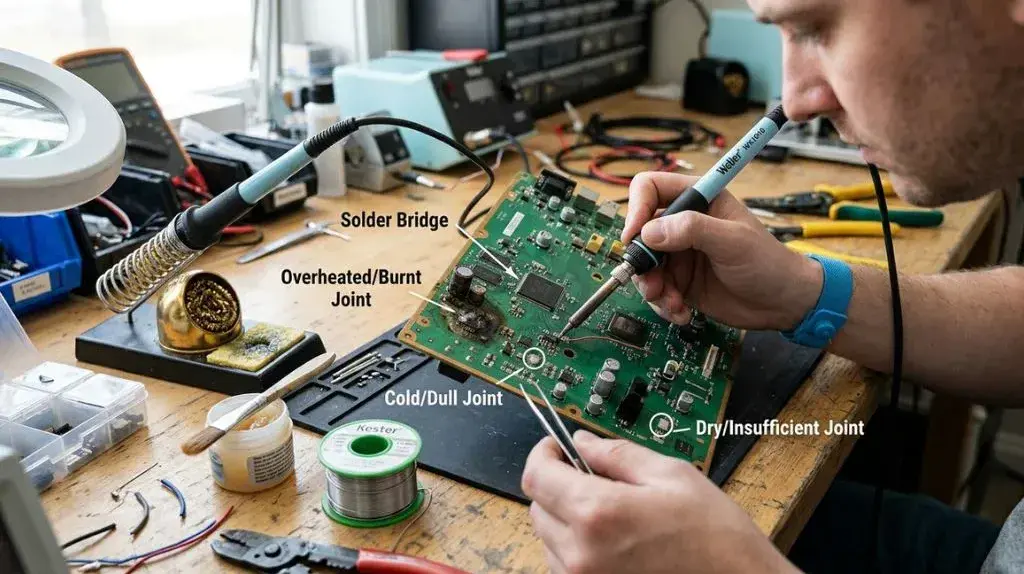
| Dull, grainy, or fractured joint | Moving the joint while cooling; insufficient heat | Hold the wire still until the solder solidifies; ensure proper contact time. |
| Delaminated or lifted PCB pad | Keeping the iron on the board too long; temperature too high | Limit contact time to 2–4 seconds; lower the iron temperature. |
| Solder will not flow onto the wire | Heating the solder instead of the joint | Place the tip against the wire and pad, then feed solder into the joint. |
| Corrosion on the board weeks later | Using acid-core solder or uncleaned active flux | Always use rosin-core or no-clean flux; clean residues with isopropyl alcohol. |
The Most Common Soldering Iron Mistakes to Watch For
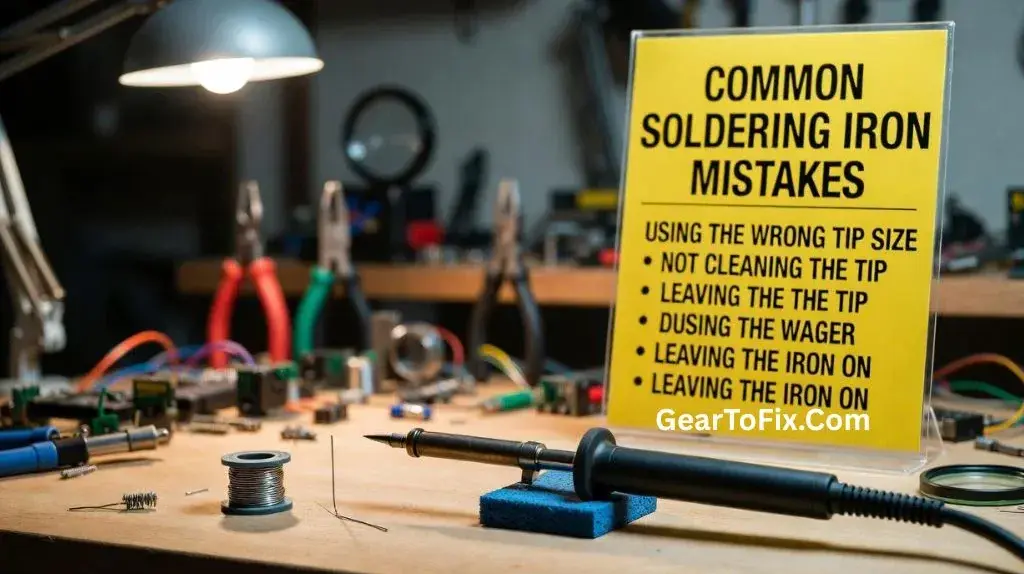
Many errors stem from a misunderstanding of how heat transfers from the soldering iron to the metals being joined. Below are the primary technical missteps that lead to poor joints and damaged equipment.
1. Neglecting Tip Maintenance and Tinning
A dry, dark grey, or black soldering tip is a sign of oxidation. When a hot copper or iron-plated tip is exposed to oxygen, an oxide layer forms on the surface. This layer acts as a thermal barrier, preventing efficient heat transfer to the joint.
Many beginners try to melt solder with a dry, dirty tip, forcing them to hold the iron against the workpiece for too long. This excess heat exposure often destroys sensitive silicon components and lifts copper traces off printed circuit boards (PCBs).
2. Heating the Solder Instead of the Joint
One of the most frequent mechanical errors is melting the solder directly onto the soldering iron tip and attempting to carry it to the joint. This is known as “wetting the iron” rather than the workpiece.
When you do this, the flux inside the solder core burns off on the tip before it ever reaches the joint. Without flux to strip away surface oxides on the wires or PCB pads, the solder will pool into a ball on the tip rather than flowing smoothly over the connection.
3. Using the Wrong Temperature Settings
Soldering stations with adjustable dials can lead to two main temperature errors:
- Too Hot: Setting the station above 400°C (750°F) for standard leaded or lead-free solder burns off flux instantly, accelerates tip oxidation, and can vaporize adhesive binders holding PCB copper pads in place.
- Too Cold: Operating below 300°C (570°F) results in prolonged dwell times. The iron must remain in contact with the joint for so long that heat travels up the wire, melting wire insulation or overheating internal component structures.
4. Moving the Connection Before It Solidifies
A “disturbed joint” occurs when a wire or component shifts while the melted solder is transitioning back to a solid state. This movement fractures the crystalline structure of the cooling alloy, resulting in a joint that is physically weak and highly resistive to electricity. Disturbed joints are prone to intermittent electrical failures that are incredibly difficult to diagnose.
5. Selecting the Incorrect Tip Profile
Using a tiny conical tip for a large wire join, or a massive chisel tip on a dense microcircuit, compromises thermal mass management.
- A tip that is too small cannot transfer heat fast enough to a large wire, causing the iron’s temperature to plummet upon contact.
- A tip that is too large can bridge adjacent pins, melt nearby plastic connectors, or overheat delicate components.
How to Properly Clean and Maintain a Soldering Tip
Keeping your soldering tip clean is the single most effective way to prevent joint failures. Follow these steps during every soldering session to maximize heat transfer and extend the lifespan of your iron.
Step 1: Tin the Tip Before, During, and After Use
Tinning involves applying a thin coat of fresh solder to the tip. This layer prevents oxygen from reacting with the underlying metal.
- Always apply a small amount of fresh solder to the tip immediately after the iron heats up.
- Re-tin the tip after every few joints are completed.
- Leave a generous blob of solder on the tip before turning off the station to protect it during storage.
Step 2: Use Brass Wire Sponges Over Wet Cellulose Sponges
Traditional wet yellow sponges can cause micro-fractures in the iron plating of your tip due to rapid thermal shock.
- Prefer a brass wire sponge (coiled metal shavings) to clean your tip. It removes excess oxide and old solder without dropping the tip’s temperature dramatically.
- If you must use a natural sponge, keep it damp, not soaking wet.
Step 3: Use Tip Tinner for Stubborn Oxidation
If your tip has turned completely black and will no longer accept solder, clean it using a commercial tip tinner/cleaner.
- Heat the iron to its normal operating temperature (typically 350°C / 660°F).
- Press the hot tip directly into the tip tinner paste for 1 to 2 seconds.
- Wipe the tip clean on a brass wire sponge.
- Immediately apply fresh rosin-core solder to coat the shiny metallic surface.
Understanding Heat Transfer and Thermal Mass
To make clean solder joints, you must understand thermal mass. Different materials absorb and dissipate heat at different rates. For example, a thick copper wire has high thermal mass and draws heat away from the soldering iron rapidly. A tiny resistor lead has very low thermal mass.
To ensure both parts of a joint reach the melting point of the solder at the exact same time, you must form a heat bridge.
How to Create a Heat Bridge
- Apply a tiny droplet of fresh solder to the very end of your cleaned iron tip.
- Press the tip firmly against both the wire and the connection pad simultaneously. The liquid droplet of solder on your tip expands the contact area, allowing heat to flow rapidly into both parts.
- Once the parts are hot (usually within 1 to 2 seconds), touch your solder wire to the opposite side of the joint—not directly to the iron tip.
- Let the heated workpiece melt the solder. It should flow smoothly to coat the entire connection.
- Remove the solder wire first, then cleanly lift the iron tip away.
FAQs About Common Soldering Iron Mistakes
Why is my solder not sticking to the soldering iron tip?
Solder will not stick to a tip that is covered in a layer of black oxide. Clean the tip using brass wire mesh or a chemical tip tinner, then immediately coat it with fresh solder to prevent the oxide layer from returning.
What temperature should my soldering iron be set to?
For standard leaded solder (60/40 or 63/37 alloy), set your iron between 320°C and 350°C (600°F to 660°F). For lead-free solder, which has a higher melting point, set your iron between 350°C and 380°C (660°F to 715°F).
Can I use acid-core solder for electronics?
No, never use acid-core solder on electronics or wiring. Acid-core solder is designed for plumbing applications. The acid residue is highly corrosive and will slowly eat away thin copper PCB traces, components, and wires, causing total electrical failure over time. Always use rosin-core or specialized synthetic flux for electronics.
Why does my solder joint look dull and grey?
A dull, grey, or grainy solder joint is usually a “cold joint” or a “disturbed joint.” This happens when either the components were not heated sufficiently during soldering, or the wire shifted while the solder was cooling. A healthy solder joint should look shiny, smooth, and have a concave fillet (like a small volcano shape around the wire).
How often should I clean my soldering iron tip?
You should clean the tip continuously while working. Wipe it on brass wire mesh every time you pick up the iron and right before you put it back in its stand. Keeping the tip clean ensures consistent heat transfer and prevents oxide buildup.
What to Keep in Mind
Avoiding these common soldering iron mistakes is mostly a matter of patience, tip maintenance, and temperature control. Always prioritize heating the components rather than the solder itself, and keep your iron tip shiny and covered in solder.
Invest in a temperature-controlled soldering station if you are currently using a cheap, plug-and-play wall iron, as these budget tools often overheat or suffer from poor thermal recovery. By taking care of your equipment and working deliberately, your solder joints will remain clean, durable, and electrically sound for years to come.

Scott Yarnell is a tool expert focused on practical guides, product research, and real-world tool performance to help readers make informed decisions.