How To Calibrate A Soldering Station: Easy Guide
How to calibrate a soldering station depends on the station’s control design, tip system, and adjustment options. In general, calibration means comparing the temperature shown on the station with the actual temperature at the soldering tip, then correcting the offset if the station allows it.
A reliable calibration requires a suitable temperature reference, a repeatable measurement method, and a stable operating setup. Simply checking whether solder melts is not accurate enough because solder melting behavior depends on alloy, tip condition, flux, and the amount of heat being transferred.
Why Calibrate a Soldering Station?
A soldering station can display one temperature while the tip reaches a different temperature. This difference may result from sensor location, tip construction, aging components, poor thermal contact, or the use of a different tip size.
Calibration matters because incorrect tip temperature can cause:
- Solder joints that do not flow properly
- Excessive oxidation or rapid tip wear
- Lifted pads or damaged circuit boards
- Burned flux and overheated components
- Slow heat transfer
- Inconsistent results between operators or workstations
- A displayed temperature that does not match the actual working temperature
The displayed value is usually a control reference rather than a direct measurement taken at the very end of the tip. The station may sense temperature inside the cartridge or heating assembly, while the working surface of the tip can be cooler or hotter depending on the design and operating conditions.
What You Need to Calibrate a Soldering Station
Before starting, gather the equipment required for a stable comparison. The exact tools vary by station and the level of accuracy needed.
Useful equipment includes:
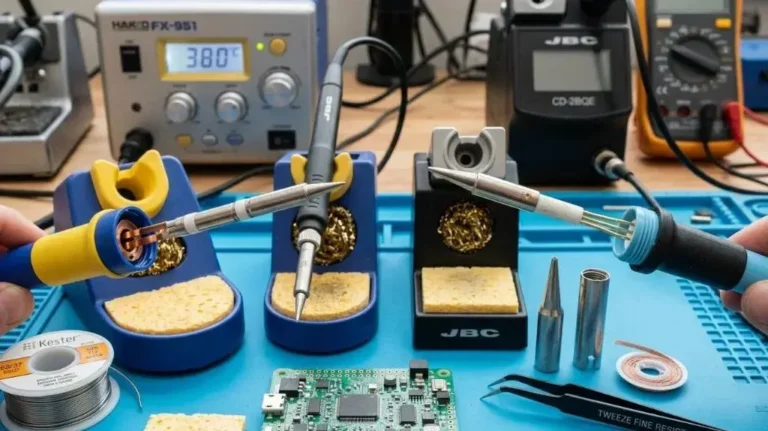
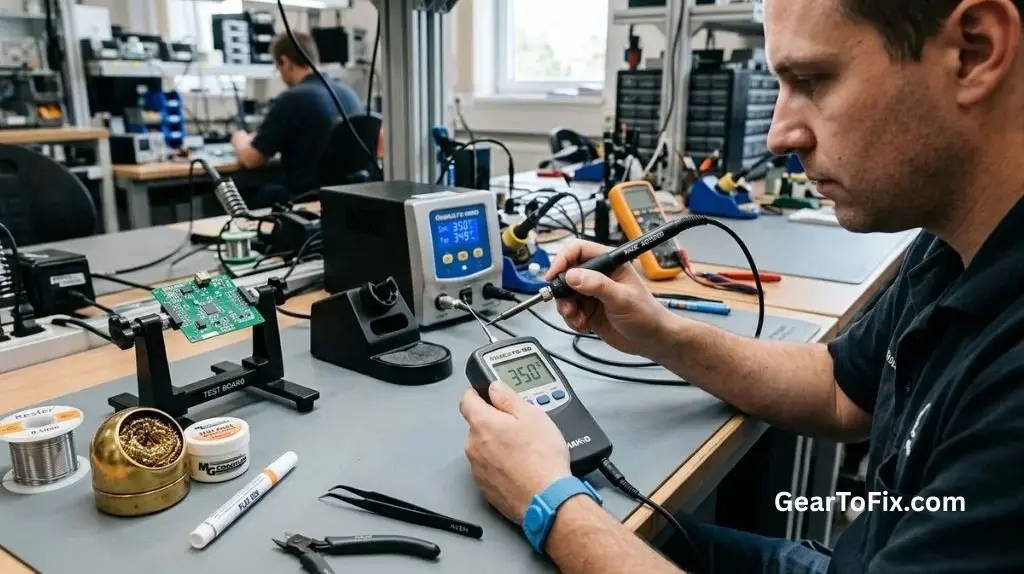
- A tip thermometer or soldering iron temperature tester
- A suitable thermocouple or temperature sensor
- A clean, properly fitted soldering tip
- A damp sponge or brass wool for normal tip cleaning
- Solder and flux for checking heat transfer
- A small insulated tool if the station has a physical adjustment
- The manufacturer’s calibration instructions, if available
- Heat-resistant work protection
A dedicated tip thermometer is generally more practical than a general-purpose infrared thermometer. Infrared readings can be affected by surface emissivity, the small size of the tip, reflections, and the angle of measurement. They may be useful for rough observations but are not usually the best reference for a small, shiny soldering tip.
Use a Reference That Matches the Required Accuracy
Not every repair bench needs laboratory-level calibration. A hobbyist may only need to confirm that the station is operating consistently, while production or rework environments may require documented measurements and a traceable reference instrument.
If the station is used for sensitive electronics, lead-free soldering, or a controlled manufacturing process, follow the applicable workplace procedure and the manufacturer’s recommended calibration method. The acceptable difference between the display and measured tip temperature can vary by station, tip style, application, and required process control.
Prepare the Station Before Measuring
Calibration results are only useful if the station is tested under repeatable conditions. A damaged or poorly fitted tip can make a properly functioning station appear inaccurate.
Complete these checks first:
- Inspect the handpiece and cable. Look for damaged insulation, loose connections, or signs of overheating.
- Install the correct tip. The tip should be fully seated and compatible with the handpiece or cartridge system.
- Clean and lightly tin the tip. Remove heavy oxidation, then apply a small amount of solder to improve heat transfer during the test.
- Check the tip condition. A deeply pitted, cracked, or heavily worn tip should be replaced rather than used for calibration.
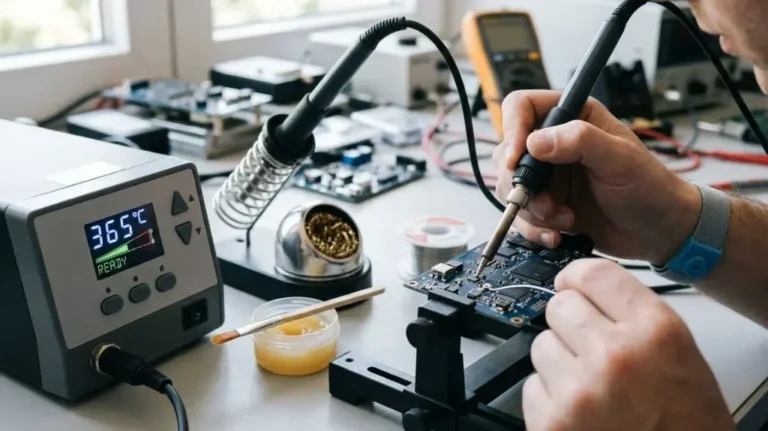
- Allow the station to reach its set temperature. Wait until the display has stabilized instead of measuring during warm-up.
- Keep the test setup consistent. Use the same tip orientation, measurement location, and contact pressure each time.
Do not calibrate with a loose tip, a heavily oxidized surface, or a tip that is too large or too small for the measurement device. These conditions can create unstable readings.
How to Calibrate a Soldering Station Step by Step
The following procedure applies broadly to stations that allow a temperature offset or calibration adjustment. The controls and menu names will vary, so the station’s instructions take priority.
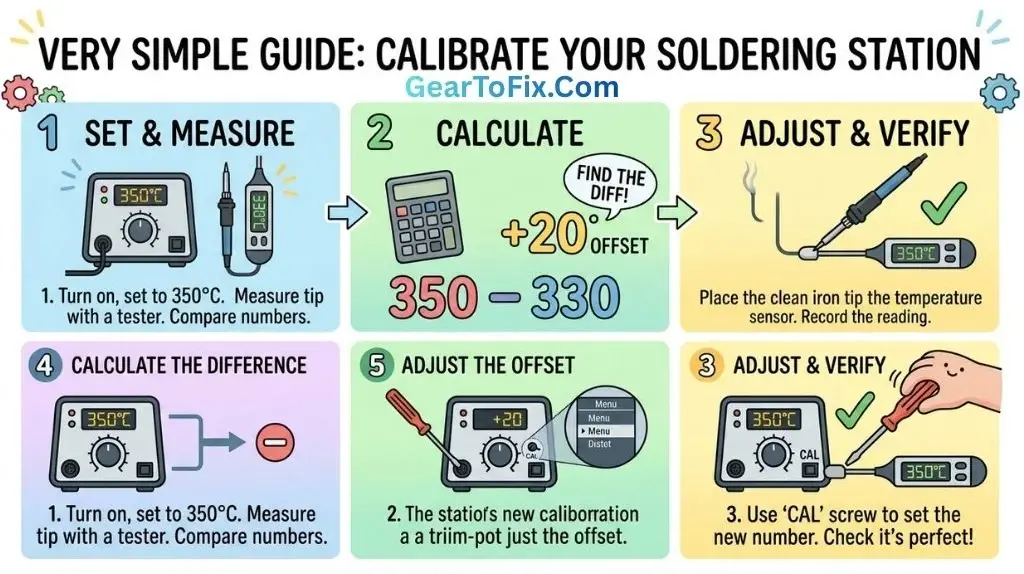
1. Set the Station to a Known Temperature
Choose a normal working temperature within the station’s operating range. Avoid beginning at the highest available setting unless that is the temperature the station is specifically being checked against.
The selected temperature should reflect the way the station is normally used. If the station is used for both low-temperature and high-temperature work, it may be useful to verify more than one point. Some stations remain close to the reference at one setting but show a larger difference at another.
2. Let the Temperature Stabilize
Wait until the station reaches the setpoint and its heating cycle becomes relatively steady. A station that is still recovering from warm-up may produce a misleading reading.
Stabilization time varies by:
- Tip size and shape
- Heater design
- Station wattage
- Selected temperature
- Ambient conditions
- Whether the tip was recently cleaned
- The amount of heat removed by the measuring device
Avoid touching or wiping the tip repeatedly during this stage. Cleaning can temporarily change the tip temperature.
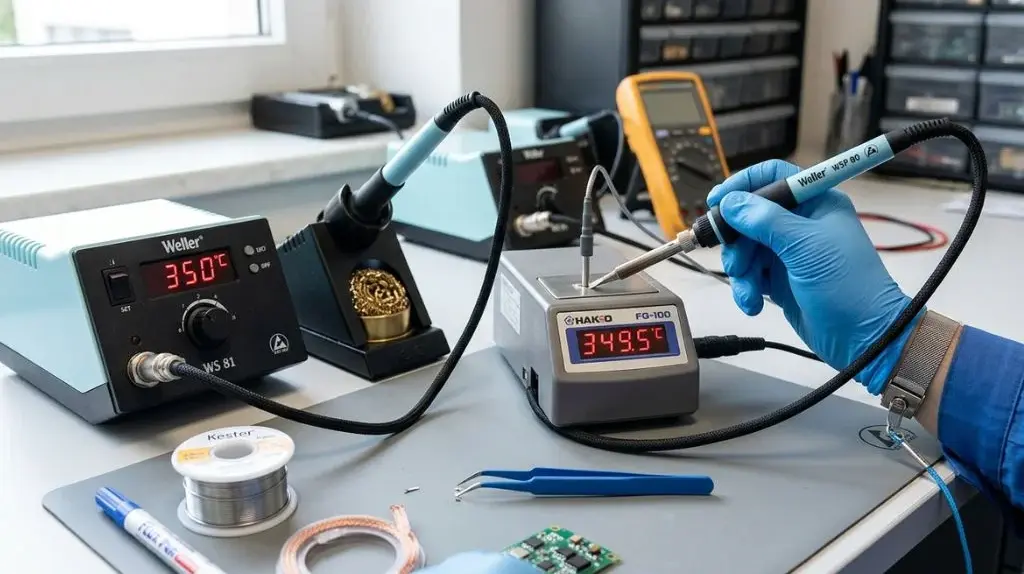
3. Position the Tip on the Temperature Sensor
Place the working part of the tip against the sensor according to the tester’s instructions. The sensor must make good thermal contact with the tip, but excessive pressure can damage a fine thermocouple or alter the reading.
For a pointed tip, the exact measurement location can be difficult to control. The temperature at the very point may not be identical to the temperature farther back on the working surface. A chisel tip usually provides a broader and more repeatable contact area than a needle-point tip.
Keep the handpiece steady while taking the measurement. A changing angle or contact point can cause the displayed value to fluctuate.
4. Record the Displayed and Measured Temperatures
Write down both values after the measurement becomes reasonably stable.
For example:
- Station display: 350°C
- Temperature tester reading: 335°C
- Difference: 15°C lower than displayed
The difference is the correction offset. In this example, the station may need to be adjusted so that its displayed value more closely matches the measured temperature.
Use the same units throughout the calculation. To convert between Celsius and Fahrenheit:
- °F = (°C × 9/5) + 32
- °C = (°F − 32) × 5/9
5. Calculate the Temperature Offset
The basic offset is:
Temperature offset = measured tip temperature − displayed temperature
If the display shows 350°C and the measured tip temperature is 335°C:
335 − 350 = −15°C
The measured temperature is 15°C below the display. Depending on the station’s adjustment system, you may need to enter a negative correction or raise the control setting by the appropriate amount.
Do not assume every station uses the same sign convention. Some models ask for the measured temperature, some use a positive or negative offset, and others require a calibration screw adjustment. Confirm how the particular station interprets the correction.
6. Enter the Adjustment or Use the Calibration Control
Stations may provide calibration in several forms:
- A digital temperature offset in a menu
- A hidden service setting
- A physical adjustment screw
- Automatic cartridge or handpiece recognition
- No user-accessible calibration adjustment
If the station has a digital offset, enter the calculated correction and save it according to the instructions. If it uses a physical adjustment, make small changes and allow the station to stabilize after each change.
Do not open the station or modify internal circuitry unless the manufacturer specifically permits it and the person performing the work is qualified to handle the electrical hazards. Some stations contain mains-voltage components even when the front panel appears simple.
7. Measure the Temperature Again
Repeat the measurement after applying the adjustment. This confirms whether the correction moved the reading in the expected direction.
If the result is still outside the desired range:
- Confirm that the correct adjustment method was used.
- Check that the tip is fully seated.
- Clean or replace the tip.
- Confirm that the thermometer or thermocouple is functioning correctly.
- Repeat the measurement using the same contact location.
- Check the station’s instructions for a model-specific procedure.
Do not keep applying larger corrections without checking the measurement setup. A poor sensor contact or damaged tip can cause a false reading that no adjustment will solve.
8. Verify the Station at More Than One Setting
A single calibration point does not prove that the station is accurate across its entire range. If practical, check a low, medium, and high working temperature.
A station may show:
| Test point | Displayed temperature | Measured temperature | Difference |
|---|---|---|---|
| Low setting | 300°C | 292°C | −8°C |
| Mid-range setting | 350°C | 337°C | −13°C |
| Higher setting | 400°C | 379°C | −21°C |
This pattern may indicate that the station has a broader calibration error, a sensor issue, or a measurement method that becomes less reliable at higher temperatures. A single offset may not correct all settings equally.
Some stations are designed for a simple user offset, while others require service calibration if the error changes significantly across the range.
How to Tell Whether the Reading Is Reliable
A temperature reading is more useful when it can be repeated. Take several measurements under the same conditions rather than relying on one number.
Look for:
- Similar readings after the station stabilizes
- A secure and consistent tip position
- A clean, lightly tinned tip
- No large fluctuations when the handpiece is held still
- Similar results after repeating the test
- A measurement device appropriate for soldering temperatures
A small difference between repeated readings may be normal because the tip is constantly transferring heat to the sensor. Large swings suggest a problem with contact, sensor placement, tip condition, station control, or the measuring instrument.
Common Causes of Incorrect Calibration Results
A station may appear inaccurate when the real problem is related to the test setup.
Oxidized or Damaged Tip
Oxidation prevents solder from wetting the tip and reduces heat transfer to the sensor. A worn tip may also have an irregular working surface, making it difficult to measure consistently.
Replace a tip that remains badly oxidized after normal cleaning or one that has become visibly damaged.
Incorrect Tip Fit
A loose tip or cartridge may not transfer heat properly from the heater to the working surface. It may also produce unstable readings during use.
Install the tip according to the handpiece design. Do not force incompatible components into place.
Measuring the Wrong Area
The temperature near the tip’s point may differ from the temperature on its broader working surface. If the measurement location changes from one test to another, the results may not be comparable.
Mark or consistently use the same practical measurement area when the test device allows it.
Poor Sensor Contact
A thermocouple that barely touches the tip may read too low. Excessive pressure can damage the sensor or make the measurement respond unpredictably.
Follow the tester’s contact method and keep the handpiece stable.
Inadequate Heat Recovery
Some stations display the set temperature while the tip temperature drops sharply when it contacts a large copper area, a ground plane, or a connector. This may not be a calibration error. It can indicate that the tip, heater, or station does not have enough heat capacity or recovery performance for the task.
Calibration should be checked with the tip at rest and under a consistent measurement method. Real-world heat transfer should then be evaluated separately during soldering.
Faulty Temperature Sensor or Control Circuit
If the displayed temperature is unstable, the station cycles abnormally, or the measured error is large and inconsistent, the internal sensor, heater, cable, or control electronics may be damaged.
A station that cannot hold temperature after basic checks may require manufacturer service or replacement rather than repeated user adjustments.
Calibration Mistakes to Avoid
Several shortcuts can produce misleading results or damage the equipment.
- Do not use solder melting as the calibration method. Solder alloy, flux, joint mass, and surface condition all affect melting behavior.
- Do not rely on an infrared thermometer without understanding its limitations. Shiny metal surfaces can produce unreliable readings.
- Do not calibrate with a severely oxidized tip. Poor wetting changes heat transfer.
- Do not adjust the station while it is still warming up.
- Do not change the tip during a calibration check unless you restart the procedure.
- Do not assume a correction for one tip applies perfectly to every tip.
- Do not enter a large offset without verifying the sign and units.
- Do not ignore the manufacturer’s service procedure.
- Do not open a mains-powered station unless you are qualified to work safely on it.
How Often Should a Soldering Station Be Calibrated?
There is no universal calibration interval for every soldering station. The appropriate schedule depends on how often the station is used, how critical the soldering work is, environmental conditions, and whether the equipment has been repaired or damaged.
A practical approach is to verify the station:
- Before starting a controlled production process
- After replacing a handpiece, heater, or temperature sensor
- After the station has been dropped or overheated
- When soldering results become inconsistent
- When the display seems different from the actual heat behavior
- At regular intervals defined by the workplace or quality system
For occasional hobby use, checking the station when problems appear may be sufficient. For professional work, use a documented schedule and record the date, tip type, setpoint, measured temperature, reference instrument, and adjustment made.
Calibration Versus Temperature Verification
These terms are related but not identical.
Temperature verification compares the station’s displayed temperature with an external reference. It tells you whether the station is operating within the desired range.
Calibration involves adjusting the station or documenting a correction so the displayed temperature more closely matches the reference.
If the station has no user-accessible adjustment, you can still verify and document its behavior. A measured difference does not always mean the station can or should be modified by the user.
Safety During Calibration
A soldering station and its tip can cause burns, ignite nearby materials, and damage surfaces. Use a stable stand and keep flammable items away from the hot handpiece.
Follow these precautions:
- Wear appropriate eye protection when solder or flux may splatter.
- Keep the heated tip in its stand when it is not being measured or used.
- Do not touch the tip, sensor contact area, or metal parts that may have heated up.
- Use ventilation suitable for soldering fumes.
- Allow the equipment to cool before replacing parts or cleaning it.
- Disconnect power before inspecting internal components.
- Never bypass thermal protection or modify safety controls.
Calibration should improve temperature control, not involve unsafe changes to the station’s protection systems.
FAQs About How To Calibrate A Soldering Station
Can I calibrate a soldering station without a thermometer?
You can perform a basic functional check without a thermometer, but you cannot accurately compare the displayed temperature with the actual tip temperature. Solder flow, smoke, or visual appearance may reveal obvious problems, but they are not reliable calibration references.
A tip thermometer or suitable thermocouple is the better option for actual verification.
Does every soldering station need calibration?
No. Some stations maintain accurate temperature control without frequent user adjustment, especially when used with compatible tips and maintained properly. Calibration or verification becomes more useful when the work requires consistent temperatures, the station has been repaired, or the displayed value appears inaccurate.
Should every soldering tip be calibrated separately?
Not necessarily, but different tips can produce different measured temperatures and heat-transfer behavior. Tip size, shape, construction, and condition affect the result. For demanding work, verify the tip type used for the process rather than assuming every tip behaves identically.
Why does the tip temperature drop when I touch a circuit board?
The board, copper traces, ground planes, and component leads draw heat away from the tip. This is usually a heat-transfer and recovery issue, not automatically a calibration problem. A larger or more suitable tip, improved contact technique, or a station with better recovery may be needed.
Can I use a multimeter to measure soldering tip temperature?
Only if the multimeter has a suitable temperature function and an appropriate thermocouple rated for the expected temperature. A standard electrical probe or ordinary meter lead is not designed for direct contact with a hot soldering tip.
What should I do if the station cannot hold its calibrated temperature?
First check the tip, cartridge fit, handpiece connection, sensor contact, and reference thermometer. If the readings remain unstable or the error changes substantially across the temperature range, the station may have a failing heater, sensor, cable, or control circuit. Follow the manufacturer’s service guidance instead of applying increasingly large offsets.
Final Takeaway
How to calibrate a soldering station comes down to comparing its displayed temperature with a reliable measurement taken at the working tip, then applying the correct model-specific adjustment. Use a clean, properly fitted tip, allow the station to stabilize, measure consistently, and verify the result after making any correction.
A temperature offset alone cannot fix a damaged tip, poor heat recovery, faulty sensor, or unsuitable measurement method. When calibration results remain unstable, treat the problem as a possible equipment or testing issue and follow the manufacturer’s service procedure.

Scott Yarnell is a tool expert focused on practical guides, product research, and real-world tool performance to help readers make informed decisions.