How To Solder Components To A Circuit Board: Easy Guide
Soldering is the foundational skill of electronics assembly and repair. Whether you are assembling a custom keyboard, repairing a household appliance, or building a robotic prototype, knowing how to solder components to a circuit board ensures your device operates reliably. A poor solder joint can cause intermittent electrical failures, system noise, or a complete device malfunction.
To solder components to a circuit board successfully, you must heat the component lead and the circuit board pad simultaneously, apply solder directly to the heated joint (not the iron tip), and allow the connection to cool undisturbed. This process creates a clean, shiny, and mechanically strong bond that permits electricity to flow without resistance.
Understanding the tools, temperature dynamics, and step-by-step techniques is essential to mastering this skill.
Essential Tools and Materials
Before beginning, gather the correct equipment. Using the wrong tools is the most common reason beginners struggle with circuit board soldering.
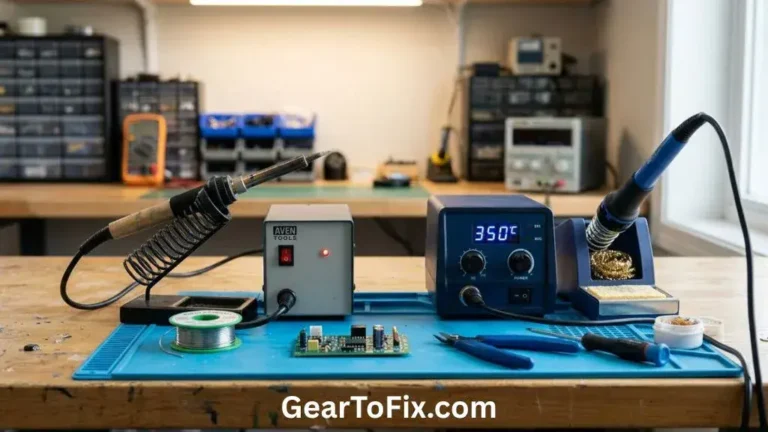
- Soldering Iron: A variable-temperature soldering station is highly recommended over a simple plug-in wall iron. Adjustable temperature control prevents you from overheating delicate components or lifting the copper pads off the printed circuit board (PCB).
- Solder: For electronics, use a thin diameter solder (typically 0.8mm or 0.031 inches). You can choose between traditional leaded solder or modern lead-free solder.
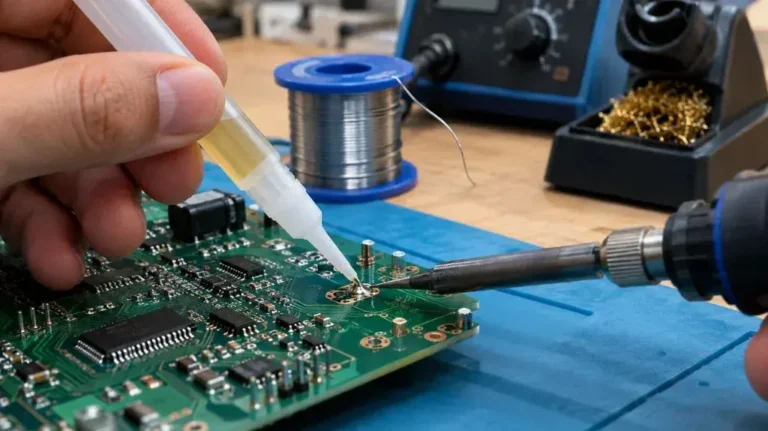
- Flux: Many solders contain a core of rosin flux, but having a flux pen or paste on hand helps clean oxidized surfaces and assists the liquid solder in flowing smoothly.
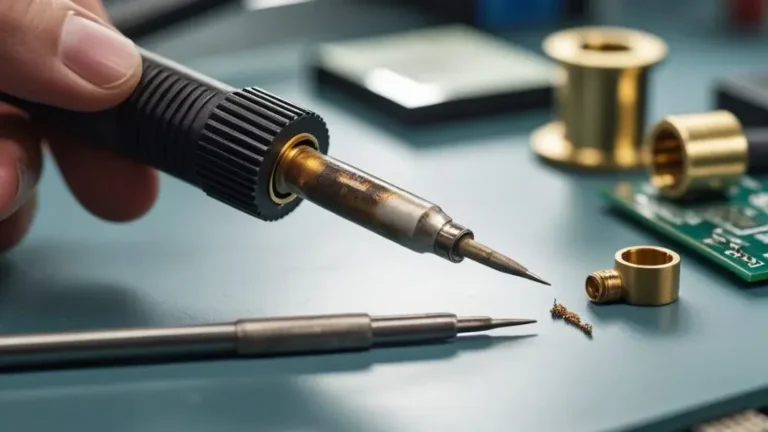
- Soldering Iron Tip: Use a clean, chisel-shaped tip. Chisel tips have flat sides that transfer heat to the component lead and board pad much faster than sharp, conical tips.
- Cleaning Tools: A brass wire sponge or a damp cellulose sponge is necessary to clean oxidized residue off the iron tip during use.
- Safety Gear: Safety glasses protect your eyes from spitting flux or clipped lead ends. A fume extractor or a well-ventilated workspace is necessary to prevent inhalation of vaporized flux fumes.
Solder Types and Temperature Settings
The temperature of your soldering iron depends entirely on the type of alloy you use. Leaded solder is easier to work with because it melts at a lower temperature and flows smoothly, but lead-free solder is safer for long-term health and environmental reasons.
The table below outlines the key differences and recommended temperature ranges for both types when working on standard printed circuit boards.
| Solder Type | Common Alloy Composition | Melting Point | Recommended Iron Temperature | Practical Considerations |
|---|---|---|---|---|
| Leaded Solder | 60% Tin / 40% Lead (60/40) or 63% Tin / 37% Lead (63/37) | 183°C (361°F) | 315°C to 340°C (600°F to 644°F) | Extremely easy to work with; cools to a bright, shiny finish; toxic if handled without washing hands. |
| Lead-Free Solder | Tin / Silver / Copper (SAC305) | ~217°C (422°F) | 350°C to 380°C (660°F to 716°F) | Safer for health; requires more heat; oxidizes iron tips faster; cools to a slightly duller, matte finish. |
Using a temperature that is too low results in “cold” joints because the metal cannot flow properly. Using a temperature that is too high can destroy the internal structure of semi-conductors, melt the PCB substrate, or destroy the copper pads.
Step-by-Step Guide: How to Solder Components to a Circuit Board
Follow these structured steps to install through-hole components onto a circuit board. Through-hole components include resistors, capacitors, diodes, and integrated circuit sockets that have wire leads designed to pass through holes in the PCB.
Step 1: Clean and Prepare the Workspace
Unclean surfaces resist solder. Wipe the circuit board pads with isopropyl alcohol (90% or higher) to remove finger oils, dust, or tarnish. If the component leads look dull or oxidized, gently wipe them with a fine abrasive pad. Set your soldering station to the correct temperature based on your solder type and let it fully heat up.
Step 2: Tin the Soldering Iron Tip
Once the iron reaches its target temperature, wipe the tip on your brass wire sponge. Immediately apply a tiny amount of fresh solder to the very end of the tip. This process, called tinning, coats the tip in a liquid layer of solder that prevents oxidation and acts as a bridge to rapidly transfer heat to the joint.
Step 3: Insert and Secure the Component
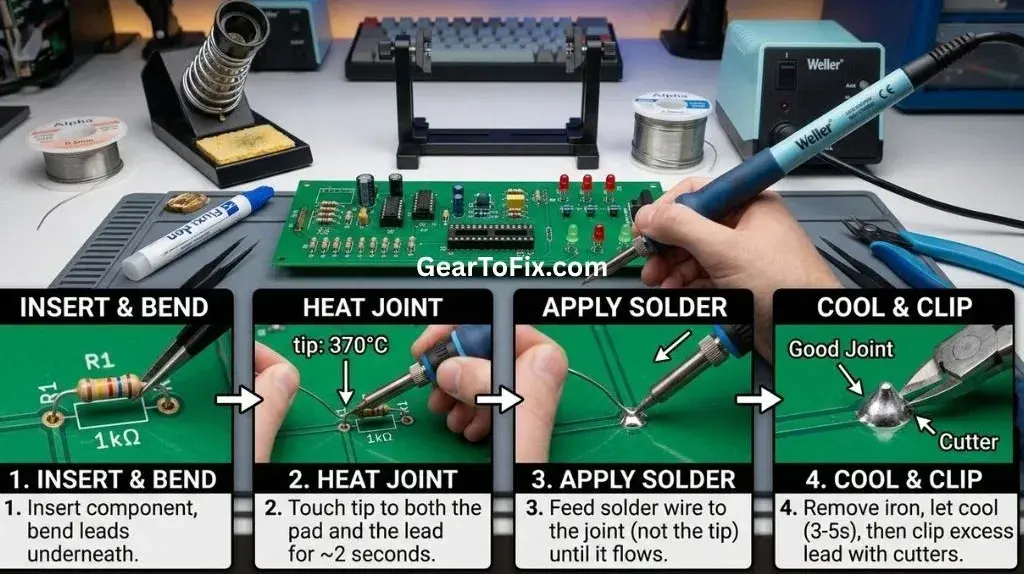
Push the component leads through the correct holes from the top side of the board so the body of the component sits flush against the PCB surface. Flip the board over to expose the copper pads and the protruding leads. To keep the component from falling out when you turn the board over, bend the leads outward at roughly a 45-degree angle.
Step 4: Heat the Joint Simultaneously
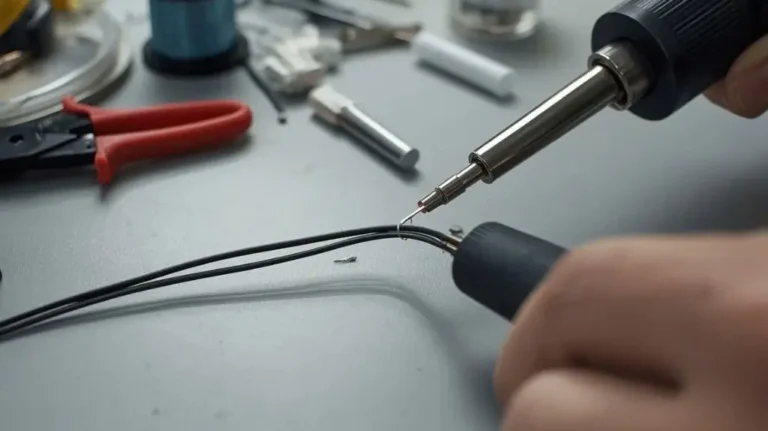
Touch the tinned tip of the soldering iron to the junction where the component lead meets the copper pad on the circuit board. You must touch both the flat copper pad and the wire lead at the exact same time. This distributes heat equally to both surfaces. Hold the iron still for 1 to 2 seconds to bring both parts up to the melting temperature of the solder.
Step 5: Feed Solder into the Joint
Keep the soldering iron in place. Introduce your solder wire to the opposite side of the joint, away from where the iron tip is touching. Do not press the solder wire directly against the hot tip of the iron. If the pad and lead are hot enough, the solder will melt instantly upon contact with them and flow smoothly into the hole, wrapping completely around the lead.
Step 6: Remove the Solder, Then the Iron
Once the solder flows around the entire joint and creates a small mound, pull the solder wire away first. Immediately afterward, lift the soldering iron straight up and away from the joint. This entire heating and feeding process should take no more than 3 to 4 seconds per joint.
Step 7: Let the Joint Cool Undisturbed
Do not blow on the joint or move the component while the solder cools. Let the joint sit untouched for at least 5 seconds. Bending the board or moving the lead while the solder transitions from a liquid to a solid state creates micro-fractures inside the metal, leading to joint failure.
Step 8: Inspect and Trim the Excess Lead
Examine the finished joint. Use a pair of flush cutters to clip the excess wire lead just above the top of the solder joint. Avoid cutting directly into the solder itself, as this can crack the connection.
How to Identify a Perfect Solder Joint (and Fix Bad Ones)
Visual inspection is the fastest way to verify if you have successfully learned how to solder components to a circuit board. A high-quality joint looks distinctly different from a failed one.
Characteristics of a Perfect Joint
- The Volcanic Shape: The solder should form a smooth, concave fillet that looks like a miniature volcano. It should climb up the lead slightly and taper down to cover the entire circular pad on the PCB.
- The Finish: Leaded solder joints should be bright, smooth, and highly reflective. Lead-free joints will be smooth but can have a slightly satin or semi-matte appearance.
- No Exposed Holes: The hole in the circuit board should be completely sealed with no visible gaps around the wire lead.
Common Defects and How to Correct Them
- Cold Solder Joint: This looks dull, grainy, rough, or cracked. It occurs when either the pad or the lead was not heated sufficiently, or if the joint moved during cooling.
- How to fix: Reapply your iron tip to the joint, add a touch of fresh flux, melt the solder fully, and let it cool without movement.
- Solder Bridge: This occurs when a blob of solder spans the gap between two adjacent pads, causing an electrical short circuit.
- How to fix: Drag your clean, hot iron tip between the two pads to break the bridge. If there is too much excess solder, use copper solder wick (desoldering braid) to suck up the extra metal.
- Insufficent Wetting (The Ball Shape): The solder looks like a round bead sitting on top of the pad without flowing onto it, or it clings to the lead but avoids the pad. This happens when the pad was dirty or not heated enough.
- How to fix: Apply flux to the joint, place the iron tip firmly against both the pad and the lead, and allow the solder to remelt and collapse flat onto the pad.
Essential Safety Precautions During Soldering
Soldering involves high temperatures, molten metal, and chemicals that require careful handling.
- Avoid Fume Inhalation: Rosin flux produces irritating fumes when heated. Use a dedicated carbon-filter fume extractor or work next to an open window with a fan pulling air away from your face.
- Prevent Burns: A soldering iron set to 350°C (660°F) will instantly burn skin. Always return the iron to a dedicated safety stand when not actively holding it. Never lay a hot iron flat on your workbench.
- Protect Your Eyes: Springy component leads can fly off at high speed when clipped with flush cutters. Hot flux can also occasionally spit. Always wear safety glasses.
- Practice Good Hygiene: If using leaded solder, avoid eating or drinking while working. Always wash your hands thoroughly with soap and warm water immediately after finishing your project to remove any lead residue.
FAQs About How To Solder Components To A Circuit Board
What wattage soldering iron do I need for PCBs?
For delicate electronics on circuit boards, an iron with a power rating between 40 and 60 watts is ideal. However, temperature control is much more important than raw wattage. A 60-watt temperature-controlled iron will regulate its heat output to avoid damaging the board, whereas a cheap, non-regulated 25-watt wall iron can easily overheat and destroy pads.
Why is my solder not sticking to the circuit board?
This usually happens because the PCB pad is oxidized, dirty, or has not reached the correct temperature. Solder flows toward heat. If you only touch the iron to the component lead and fail to heat the copper pad on the board, the liquid solder will gather on the lead and refuse to bond with the cold pad. Cleaning the board with isopropyl alcohol and using a flux pen will resolve this issue.
Do I need to use flux when soldering components?
Most modern electronics solder contains a core filled with rosin flux, which melts and cleans the metal surfaces ahead of the liquid solder. For fresh, clean components, the flux core inside the solder wire is usually sufficient. However, if you are working on older circuit boards, desoldering, or using lead-free solder, applying extra external flux makes the process significantly cleaner and faster.
How do I remove an incorrectly soldered component?
To remove a component, you must melt the existing solder joints. Place copper desoldering braid (solder wick) over the joint and press your hot iron tip down onto the braid. The wick will draw the molten solder out of the joint. Alternatively, you can use a spring-loaded desoldering pump (solder sucker) to vacuum up the liquid solder once it is melted by the iron.
Conclusion
Mastering how to solder components to a circuit board is a matter of heat control and patience. By using a temperature-regulated iron, keeping your tip clean and tinned, and ensuring you heat both the component lead and the PCB pad simultaneously, you will consistently create robust, professional-grade connections. Always prioritize safety by working in a well-ventilated area, wearing eye protection, and keeping your iron securely placed on its stand. With a little practice, soldering will become an intuitive and highly rewarding part of your electronics projects.

Scott Yarnell is a tool expert focused on practical guides, product research, and real-world tool performance to help readers make informed decisions.