What Soldering Iron Is Used for PCB Repair: Best Choice
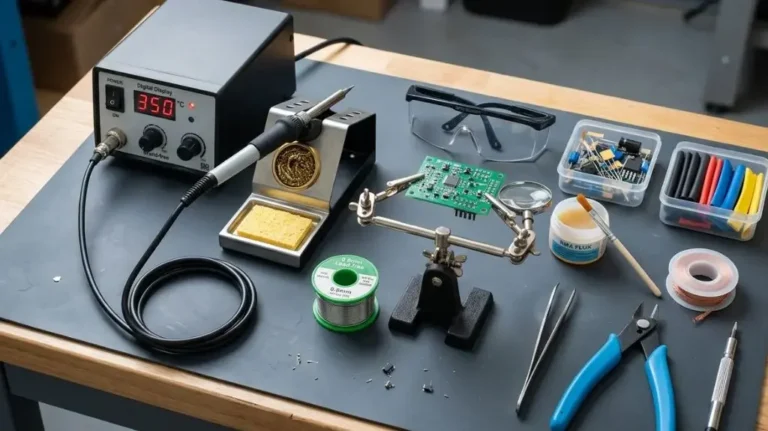
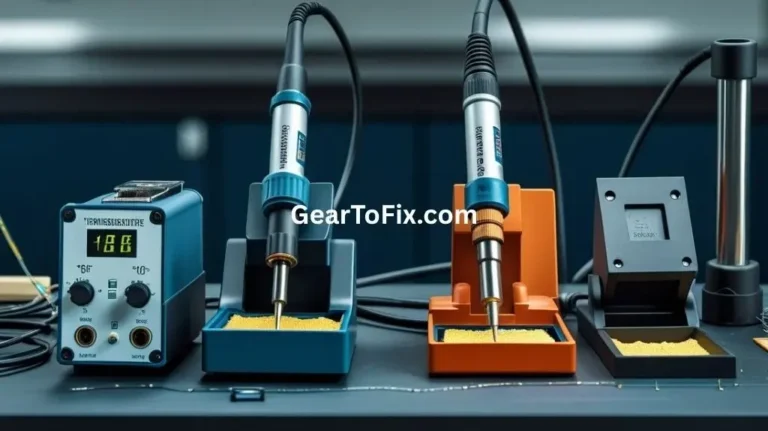
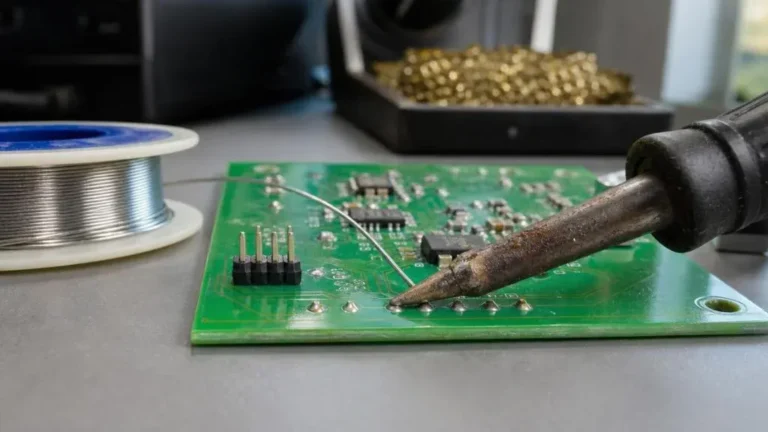
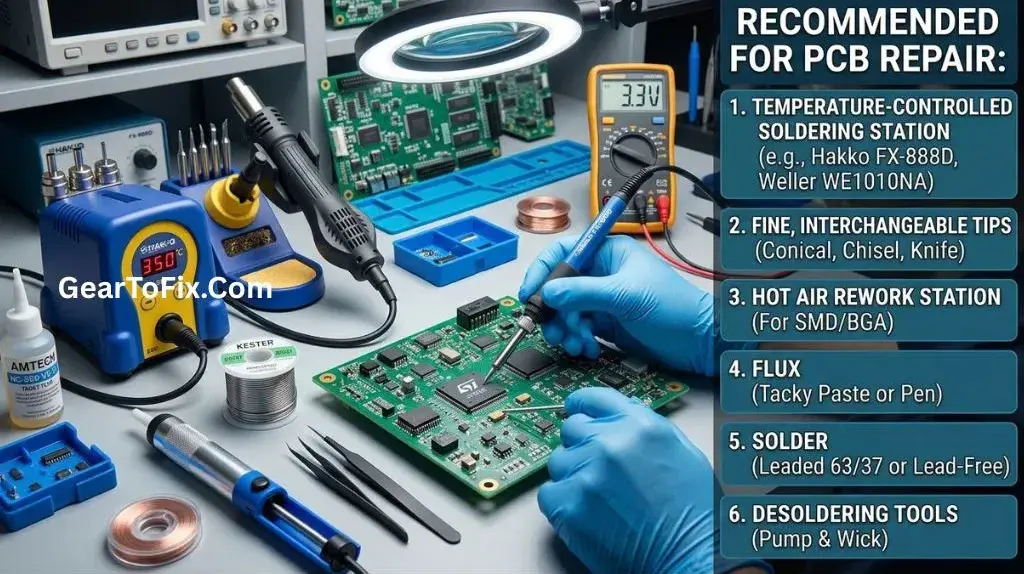
The best soldering iron for PCB repair is usually a temperature-controlled ESD-safe soldering station with interchangeable fine and medium-size tips. For most circuit board work, a controllable iron in the roughly 40-80 watt range provides enough heat for component replacement, wire repair, and through-hole soldering without being unnecessarily difficult to handle.
The exact choice depends on the board, component size, solder type, and repair task. Small surface-mount components need a finer tip and precise heat control, while large ground planes and heavy through-hole joints may require more heat recovery.
What Type of Soldering Iron Is Best for PCB Repair?
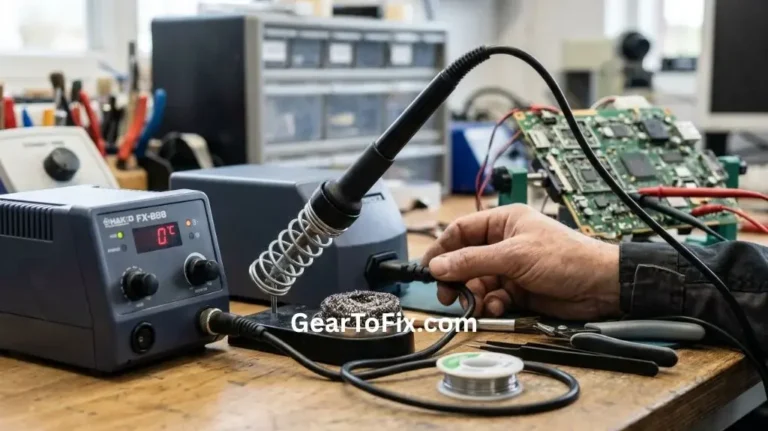
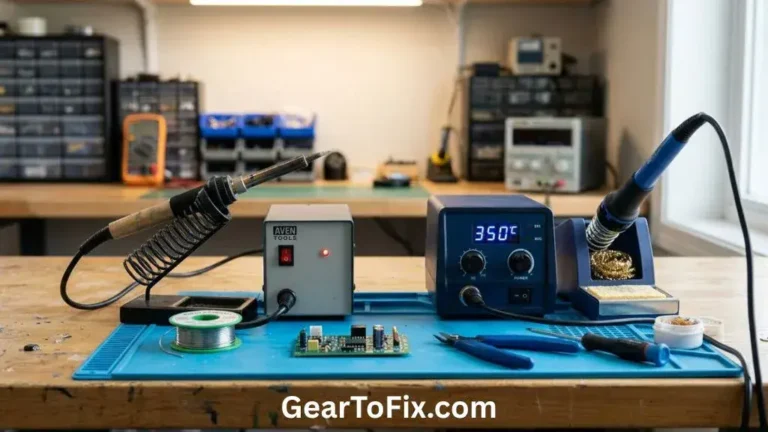
A temperature-controlled soldering station is generally the most suitable option for PCB repair. Unlike a basic plug-in iron, it lets the user set and maintain an appropriate tip temperature while the iron compensates for heat lost when the tip contacts a copper pad or joint.
A good PCB repair iron typically has:
- Adjustable temperature control
- A grounded or ESD-safe design
- Replaceable tips in several shapes and sizes
- Fast heat recovery
- A comfortable, lightweight handpiece
- A stable stand and brass tip-cleaning material
- Enough power for the board and components being repaired
A simple fixed-temperature iron can work for occasional repairs, but it offers less control. It may run too cool for lead-free solder or large copper areas and too hot for delicate pads or heat-sensitive components.
Why Temperature Control Matters
A soldering iron must transfer enough heat to melt solder and heat the joint, but excessive heat can damage the board. High temperatures held on a pad for too long may:
- Lift a copper pad from the circuit board
- Delaminate board layers
- Damage nearby components
- Overheat semiconductor devices
- Burn solder mask or flux residue
- Weaken small wires and delicate traces
Temperature control does not prevent all damage, but it makes the process more predictable. The goal is not simply to use the highest temperature available. The goal is to transfer sufficient heat quickly and remove the iron once the solder flows.
What Temperature Should You Use for PCB Repair?
The correct temperature depends on the solder alloy, component, board construction, and joint size. As a general starting point, many repairs fall within these approximate ranges:
| Solder type or task | Typical starting range | Important consideration |
|---|---|---|
| Leaded solder | About 300–350°C | Often melts and flows readily |
| Lead-free solder | About 350–400°C | Usually needs more heat and good heat transfer |
| Small surface-mount work | About 300–350°C | Use a fine tip and short contact time |
| Large ground-connected joints | Often higher within the iron’s safe range | More thermal mass may draw heat away |
| Heat-sensitive components | Use the lowest effective temperature | Work quickly and avoid repeated heating |
These are starting points rather than universal settings. The ideal setting varies by solder composition, tip condition, board design, and iron calibration. Follow the solder manufacturer’s guidance when available, and avoid treating a temperature number as a substitute for good technique.
A clean, properly tinned tip transfers heat more efficiently than a dry or oxidized tip. improving the tip condition may solve a heating problem without raising the temperature.
Which Soldering Iron Tip Is Used for PCB Repair?
No single tip shape is best for every PCB repair. A small selection is more useful than relying on one extremely fine tip.
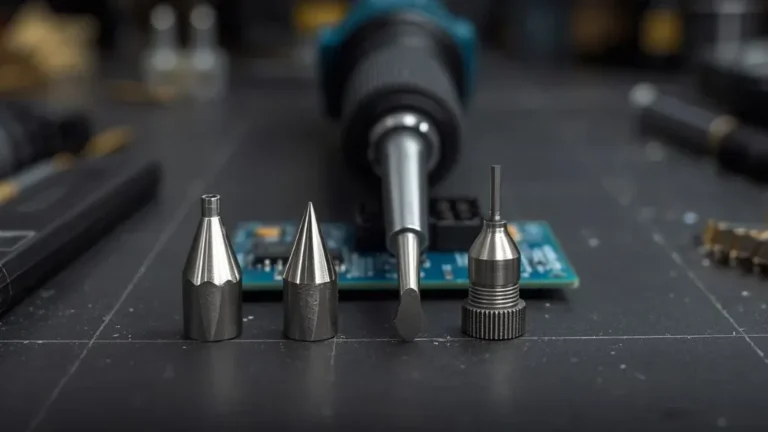
Conical Tips
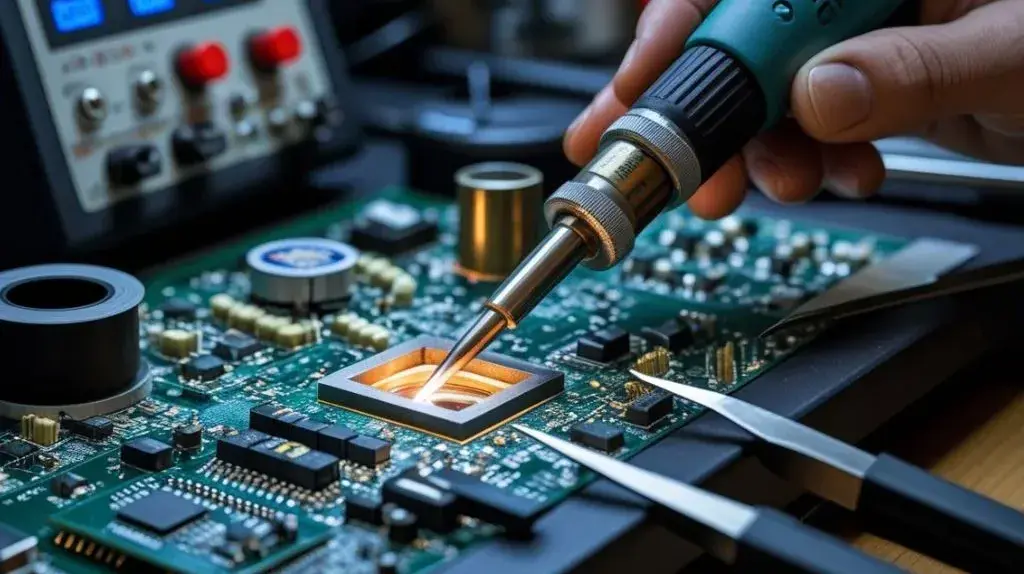
Conical tips have a pointed end and are useful for:
- Small surface-mount components
- Tight spaces between pins
- Touching a small solder joint
- Precision work on narrow pads
Very sharp needle tips are not always ideal. They have little surface area, so they may transfer heat less effectively than a slightly broader conical tip.
Chisel Tips
Chisel tips have a flat working surface and are often the most versatile choice for PCB repair. They work well for:
- General component replacement
- Through-hole joints
- Wires and connectors
- Soldering and desoldering small groups of pins
- Applying solder to a pad and component lead together
A small or medium chisel tip often transfers heat more efficiently than a needle tip because more metal contacts the joint.
Bevel or Hoof Tips
A bevel or hoof tip has a rounded, angled surface that can hold a small amount of molten solder. It is useful for:
- Drag soldering
- Soldering multiple closely spaced pins
- Removing solder bridges
- Transferring heat to a pad and lead at the same time
The broad side of the tip should contact the joint. Using only the very edge reduces heat transfer.
Blade and Specialized Tips
Wider blade-style tips may help with larger connectors, shields, or multiple pins, but they can be excessive for delicate pads. Specialized tips are useful when the repair requires a particular technique, such as working under a shield or heating several leads together.
For general use, a fine conical tip, a small chisel tip, and a medium chisel or bevel tip cover many common PCB repairs.
How Much Power Does a PCB Repair Soldering Iron Need?
Power affects how quickly an iron recovers heat when it contacts the circuit board. It does not directly indicate the tip temperature. A high-wattage iron with poor temperature control can be less suitable for PCB repair than a lower-wattage temperature-controlled model.
For many general repairs, an iron or station in the 40-80 watt range is practical. The best power level depends on the work:
- Small surface-mount boards: Moderate power with precise control is usually sufficient.
- Through-hole components: More power can help heat leads and plated holes efficiently.
- Large copper areas: Strong heat recovery is useful because the board can absorb heat quickly.
- Heavy connectors or ground tabs: A larger tip and higher heat capacity may be needed.
- Fine-pitch integrated circuits: Control, tip geometry, and technique matter more than maximum wattage.
A station with higher available power does not force excessive heat into the board. If it has proper regulation, it can deliver heat quickly while maintaining the selected temperature. The user still needs to select a suitable setting and avoid prolonged contact.
Why ESD Protection Matters During PCB Repair
An ESD-safe soldering iron helps reduce the risk of electrostatic discharge damaging sensitive electronic components. ESD means electrostatic discharge, such as the small shock that can occur after walking across a floor and touching a metal object.
Some components can be damaged by a discharge even when there is no visible mark. This is especially relevant when repairing boards containing:
- Microcontrollers
- Memory devices
- MOSFETs
- Communication interfaces
- Sensors
- Modern integrated circuits
An ESD-safe station is designed to control leakage and connect properly to an approved antistatic work setup. The iron alone is not a complete ESD protection system. Safe handling may also require:
- An appropriate grounded work mat
- An ESD wrist strap when suitable
- Proper grounding practices
- Antistatic storage for sensitive components
- Avoiding unnecessary contact with component pins
Never connect grounding equipment in an unsafe or improvised way. Use equipment designed for electronics work and follow the manufacturer’s instructions.
Soldering Iron Features That Matter for PCB Repair
Stable Temperature Regulation
A station should maintain a reasonably stable tip temperature as the joint absorbs heat. Temperature fluctuation can make soldering inconsistent and may encourage the user to keep the iron on the pad too long.
Fast Heat Recovery
Heat recovery is the ability to return to the selected operating temperature after the tip loses heat. It matters when working on:
- Large ground planes
- Multiple pins
- Thick wires
- Connector terminals
- Through-hole joints connected to large copper areas
Fast recovery can shorten the time needed to heat a joint, but it does not replace proper tip selection.
Interchangeable Tips
Replaceable tips allow the same station to handle precision work and larger joints. Tip availability also matters because tips wear out, oxidize, or become damaged over time.
Comfortable Handpiece
PCB repair often involves small components and close visual work. A bulky or unbalanced handpiece can make it harder to control the tip accurately. A comfortable grip and flexible cable reduce hand fatigue and accidental movement.
Easy Temperature Adjustment
The temperature control should be easy to adjust without forcing the user to stop working for long periods. Some stations provide a dial, while others use buttons or a digital interface. The control style is less important than predictable operation and clear settings.
Replaceable Heating Elements
Some irons use cartridges that combine the tip and heating element, while others have separate tips and heaters. Cartridge systems can offer quick heat transfer and convenient replacement, but replacement costs and availability vary. Separate-tip designs may provide more flexibility.
What Soldering Iron Is Used for Different PCB Repairs?
The most suitable iron depends on the type of repair being performed.
| PCB repair task | Suitable iron and tip | Main reason |
|---|---|---|
| Replacing a small resistor or capacitor | Temperature-controlled iron with a fine conical or small chisel tip | Provides precision around small pads |
| Repairing a through-hole component | Moderate-power station with a small or medium chisel tip | Transfers heat to the lead and plated hole |
| Soldering a wire to a pad | Temperature-controlled iron with a chisel or bevel tip | Heats both the wire and pad efficiently |
| Drag soldering an integrated circuit | Fine chisel, bevel, or specialized drag tip | Holds a small amount of solder and contacts several pins |
| Removing a solder bridge | Fine chisel or bevel tip with flux and solder wick | Allows controlled heat across the affected pins |
| Working on a large ground plane | Station with good heat recovery and a larger tip | Compensates for heat drawn into the board |
| Reworking many surface-mount pins | Controlled iron, often used with flux and solder wick | Supports precise removal and cleanup |
Some repairs are better handled with additional equipment. Hot air can be more appropriate for removing certain surface-mount packages, while a desoldering gun can simplify large through-hole jobs. A soldering iron remains useful for touch-up work, pad repairs, wire connections, and final solder cleanup.
How to Use a Soldering Iron for PCB Repair
A controlled process helps protect the board and produce a reliable joint.
Disconnect power from the device.
Do not solder on a powered circuit unless the equipment and procedure are specifically designed for that purpose. Remove batteries or other energy sources when appropriate, and allow capacitors to discharge safely.Inspect the board and identify the joint.
Check for damaged pads, lifted traces, corrosion, cracked solder, or nearby components that could be affected by heat.Choose an appropriate tip.
Use the smallest tip that can still transfer heat effectively. An extremely fine tip may take too long to heat a larger joint.Clean and tin the tip.
A thin coating of solder helps protect the tip and improves heat transfer. Remove excess residue with brass wool or the cleaning method recommended for the tip.Apply flux when needed.
Flux helps solder wet the metal surfaces and flow properly. Use electronics-grade flux rather than corrosive plumbing flux.Heat the joint, not only the solder.
Touch the tip to the pad and component lead or wire at the same time. After the joint is hot enough, apply solder to the heated surfaces.Remove the solder and then the iron.
Allow the solder to flow over the joint, then remove the solder feed. Remove the iron soon afterward to limit heat exposure.Let the joint cool naturally.
Avoid moving the component while the solder solidifies.Inspect the connection.
A good joint should hold the component securely and connect the intended surfaces without bridging adjacent pads. Clean flux residue if the flux instructions call for cleaning.Test before reassembly.
Check for shorts, unintended connections, and correct component placement before applying power.
Common PCB Soldering Mistakes
Using a Tip That Is Too Small
A very small tip may seem safer, but it can transfer too little heat. The user may then hold it against the joint for too long, increasing the risk of pad damage.
A slightly wider tip that fits the joint can be more controlled and effective.
Turning the Temperature Up Excessively
Raising the temperature can make solder melt faster, but it also increases the risk of damaging pads, insulation, and components. Use the lowest setting that produces reliable solder flow with reasonable contact time.
Working With an Oxidized Tip
A dark, rough, or poorly wetted tip transfers heat poorly. Clean and retin it. If the surface remains damaged, replace the tip.
Applying Solder to the Tip Instead of the Joint
Adding solder to the tip first can help create a temporary heat bridge, but solder should ultimately flow onto the heated pad and lead. Otherwise, the joint may appear covered while the underlying surfaces remain poorly bonded.
Pulling Components Before the Solder Is Molten
Forcing a component out of a board can tear a pad or plated hole. Use enough heat to free the joint, and remove solder with wick, a pump, or a desoldering tool as appropriate.
Ignoring Flux
Solder may not flow well onto oxidized or contaminated surfaces without flux. Applying a small amount of electronics-grade flux can improve wetting and reduce the need for prolonged heating.
Leaving the Board Powered
Powered repairs can create shorts, damage components, and expose the user to electrical hazards. Disconnect power and verify that the circuit is safe to work on before applying heat.
Can a Cheap Soldering Iron Be Used for PCB Repair?
Yes, a basic soldering iron can handle simple PCB repairs, but it may be less consistent and less forgiving. Fixed-temperature irons often lack the control needed for delicate components, lead-free solder, or boards with large copper areas.
A low-cost iron may be adequate for occasional work if it has:
- A suitable tip shape
- A stable stand
- Reasonable temperature behavior
- A clean, replaceable tip
- Proper electrical and ESD characteristics for the task
For regular PCB repair, a temperature-controlled station is generally easier to use and more versatile. The benefit comes from controllability, tip selection, and heat recovery rather than from price alone.
When a Soldering Iron Is Not the Best Tool
A soldering iron is not ideal for every circuit board repair. Consider another method when:
- A large surface-mount component must be removed without heating one side unevenly
- Many pins need to be heated simultaneously
- The board uses dense components with limited access
- A connector has many large solder joints
- A pad or trace requires specialized reconstruction
- The board has internal damage that cannot be reached from the surface
Hot-air rework tools, desoldering guns, preheaters, or magnification may be better suited to these jobs. For damaged multilayer boards or fine-pitch components, professional repair may be safer than repeated heating attempts.
FAQs About What Soldering Iron Is Used for PCB Repair
Is a temperature-controlled soldering iron necessary for PCB repair?
It is not strictly necessary for every simple repair, but it is strongly preferred. Temperature control makes it easier to use enough heat for the joint without exposing the board to unnecessary heat.
Is a fine-tip soldering iron best for circuit boards?
A fine tip is useful for small pads and closely spaced pins, but it is not always the best choice. A small chisel or bevel tip may transfer heat more effectively while still providing adequate precision.
Can a soldering iron damage a PCB?
Yes. Excessive temperature, prolonged contact, mechanical force, or repeated heating can lift pads, damage traces, delaminate the board, or overheat components. Good tip condition and short, controlled contact help reduce the risk.
What solder should be used for PCB repair?
Use solder intended for electronics work, usually with a suitable flux core. The alloy may be leaded or lead-free depending on the original assembly, repair requirements, workplace rules, and applicable regulations. Plumbing solder and acid-core solder should not be used on electronic circuit boards.
Do I need an ESD-safe soldering iron?
An ESD-safe iron is a sensible choice for boards containing static-sensitive components. It works best as part of a broader antistatic setup rather than as the only ESD precaution.
Should I use hot air or a soldering iron for PCB repair?
Use an iron for individual joints, wires, through-hole components, pad touch-up, and solder bridge cleanup. Hot air may be more suitable for removing or installing certain surface-mount packages, especially when several pins must be heated at once.
Final Takeaway
The best soldering iron for PCB repair is typically a temperature-controlled, ESD-safe soldering station with interchangeable tips and dependable heat recovery. A fine tip helps with small surface-mount work, while a small chisel or bevel tip is often more versatile for general repairs.
Choose the lowest effective temperature, keep the tip clean and tinned, and select a tip that matches the size of the joint. For simple repairs, a basic iron may be enough, but regular or delicate PCB work is easier and safer with a properly regulated station.

Scott Yarnell is a tool expert focused on practical guides, product research, and real-world tool performance to help readers make informed decisions.