How To Use A Soldering Iron: Easy Beginner Guide
Learning how to use a soldering iron starts with three basics: heat the joint, not just the solder; keep the metal surfaces clean; and use only enough solder to form a smooth connection. A soldering iron can join wires, attach components to circuit boards, and repair small electrical connections, but it also produces enough heat to cause burns, fires, and component damage.
This guide explains how to prepare a soldering iron, make a reliable solder joint, avoid common mistakes, and work safely.
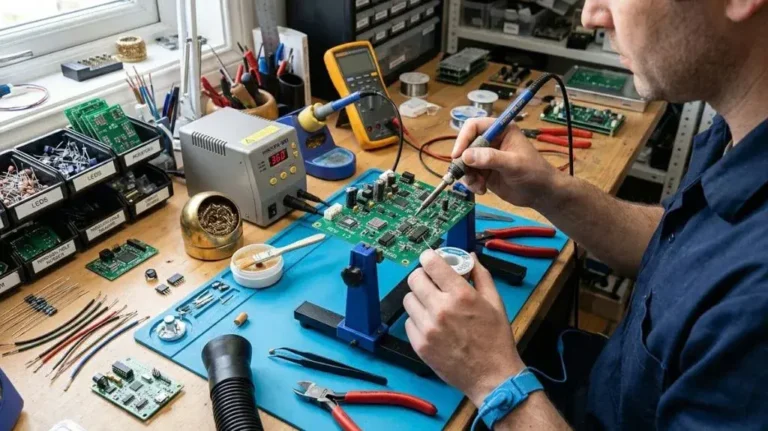
What You Need Before You Start
Gather the tools and materials before turning on the iron. Having everything within reach reduces the chance of touching a hot tool or leaving the iron unattended.
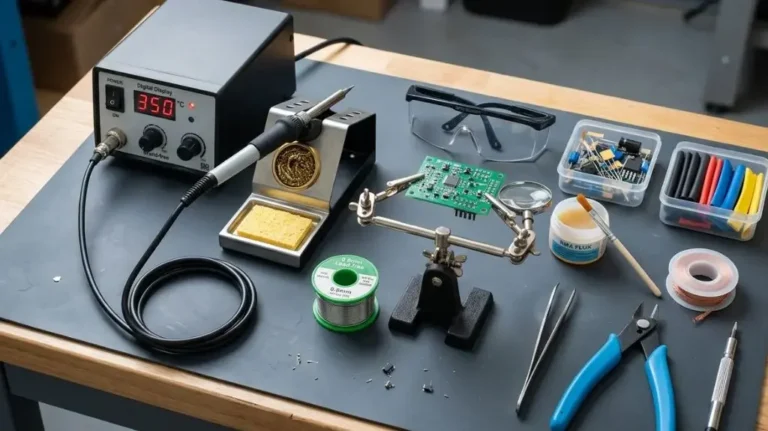
You will generally need:
- Soldering iron with a suitable tip
- Solder wire appropriate for the project
- Stand or holder for the hot iron
- Damp sponge or brass wool for cleaning the tip
- Small side cutters
- Wire strippers for insulated wire
- Needle-nose pliers
- Heat-shrink tubing or electrical insulation
- Safety glasses
- Adequate lighting and ventilation
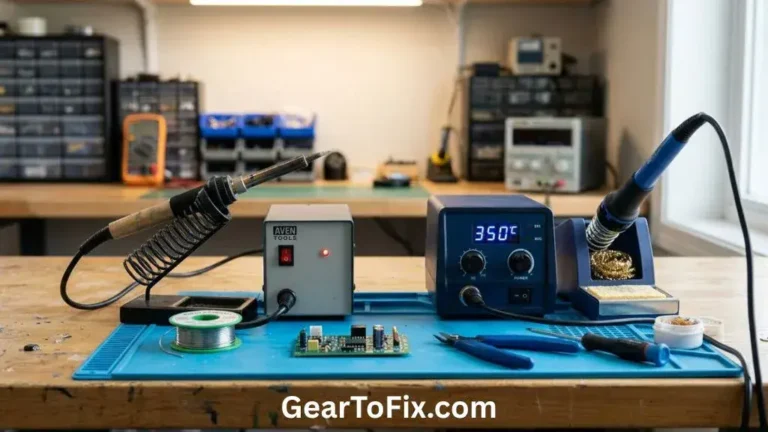
For circuit-board work, a temperature-controlled soldering station is usually easier to manage than a basic fixed-temperature iron. For occasional wire repairs, a simple iron may be sufficient if it has an appropriate tip and enough power for the connection.
Choosing the Right Solder
Solder is a low-melting material used to join metal surfaces. It comes in different compositions and diameters.
Common options include:
- Lead-free solder: Often preferred for general safety and environmental reasons, but it may require more heat and careful technique.
- Lead-based solder: Often easier to work with because it melts and flows readily, but it requires careful handling and proper cleanup.
- Rosin-core solder: Contains flux inside the solder wire to help remove surface oxidation during heating.
- Acid-core solder: Intended for plumbing and some metalwork, not electronic circuit boards.
Do not use acid-core plumbing solder on electronics. Its flux can damage circuit-board materials and metal connections.
Solder diameter also matters. Thin solder is easier to control on small electronic components, while thicker solder can work better for larger wires or heavier connections.
How a Soldering Iron Works
A soldering iron transfers heat through a metal tip. That heat melts solder and warms the surfaces being joined. When the solder cools, it forms a solid mechanical and electrical connection.
The solder should not simply sit on the hot tip and drip onto a cold connection. If the parts being joined are not hot enough, the solder may stick to the surface without properly bonding. This creates a weak joint often called a cold solder joint.
A good joint depends on three things:
- Clean metal surfaces
- Enough heat to warm both surfaces
- A controlled amount of solder
The iron tip provides heat, while flux helps the solder flow across clean metal. Solder itself should not be used to compensate for dirty, poorly positioned, or improperly heated parts.
Preparing the Soldering Iron
Before soldering, inspect the iron and prepare the work area.
- Place the soldering iron stand on a stable, heat-resistant surface.
- Secure the parts so they will not move during soldering.
- Apply ventilation or work in a well-ventilated area.
- Select a tip suitable for the size of the connection.
- Turn on the iron and allow it to reach its operating temperature.
- Clean the tip with brass wool or a slightly damp sponge.
- Apply a small amount of solder to the cleaned tip.
The thin coating of solder on the tip is called tinning. It improves heat transfer between the tip and the workpiece and helps protect the tip from oxidation.
A properly tinned tip should look shiny. If the tip remains dark, rough, or resistant to solder, clean it and apply a small amount of fresh solder. Do not file or aggressively scrape a plated soldering tip unless the manufacturer specifically permits it, because this can damage the protective coating.
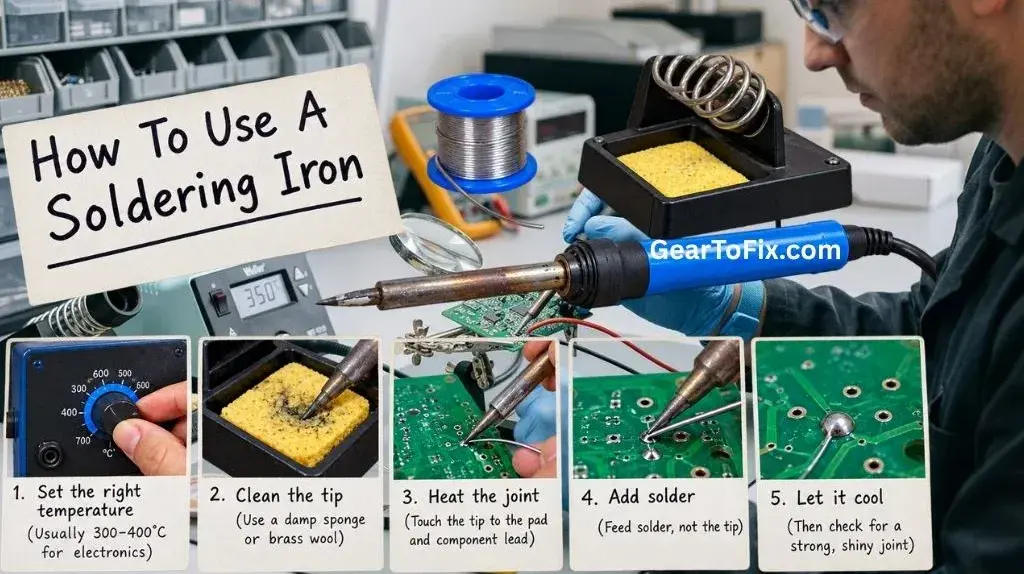
How to Use a Soldering Iron Step by Step
1. Prepare and Position the Parts
Strip only the necessary amount of insulation from a wire. Excessively long exposed wire can create accidental contact with nearby conductors.
For a wire-to-wire connection:
- Slide heat-shrink tubing onto one wire before joining the wires.
- Twist or position the conductors securely.
- Keep the connection mechanically stable.
- Make sure no loose strands can touch neighboring parts.
For a circuit board:
- Insert the component leads through the correct holes.
- Bend the leads slightly if needed to hold the component in place.
- Turn the board over and support it so the component does not fall out.
The solder should not be responsible for holding unstable parts in position.
2. Clean and Tin the Tip
Touch a small amount of solder to the clean iron tip, then remove the excess if necessary. The tip should have a thin, shiny coating rather than a large blob of solder.
Clean and retin the tip periodically during the work. Oxidation or burned flux can prevent efficient heat transfer.
3. Heat the Joint
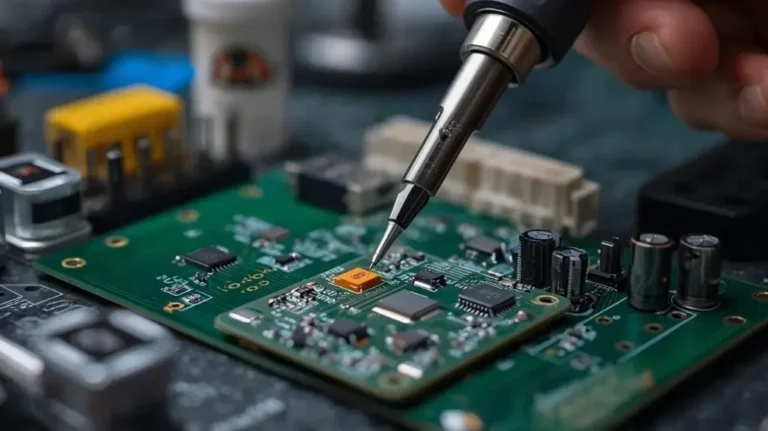
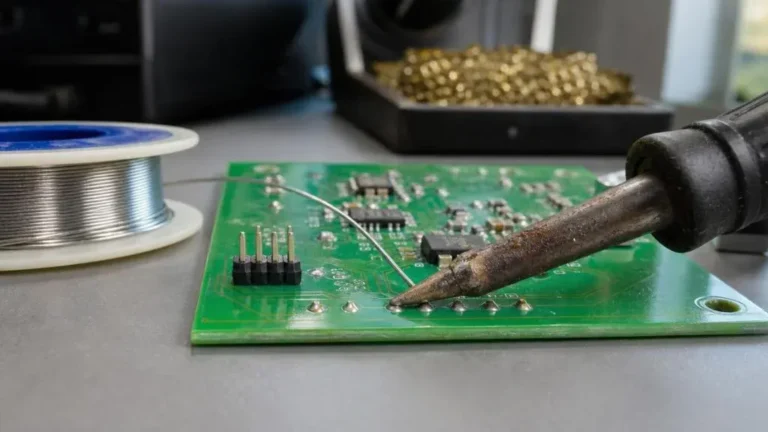
Place the side of the iron tip against both parts of the connection. For example, when soldering a component lead to a circuit-board pad, the tip should contact the lead and the pad at the same time.
Hold the iron steadily for a short period while the joint heats. The correct heating time varies with the iron, tip, wire size, circuit-board design, and type of solder. Avoid relying on a fixed number of seconds for every connection.
The goal is to heat the joint evenly without overheating nearby materials.
4. Apply Solder to the Joint
Touch the solder wire to the heated connection, not directly to the top of the iron.
If the joint is hot enough, the solder should melt and flow around the wire, lead, or pad. Feed in only enough solder to cover the connection without creating a large mound.
If the solder refuses to melt on contact with the joint, the parts may still be too cold, the surfaces may be dirty, or the iron may not be transferring heat effectively.
5. Remove the Solder and Iron
Once the solder has flowed over the connection, remove the solder wire first. Then remove the iron while keeping the parts still.
Movement during cooling can produce a cracked or grainy connection. Hold the work steady until the solder solidifies.
6. Inspect the Joint
A sound solder joint should:
- Fully contact the intended metal surfaces
- Hold the parts securely
- Have enough solder to cover the connection
- Avoid large lumps or sharp protrusions
- Show no obvious cracks or gaps
A shiny appearance can be a useful sign, but appearance alone is not always conclusive. Some lead-free solder joints may look less shiny even when properly formed. Check whether the solder has flowed onto both surfaces and whether the connection is mechanically stable.
7. Trim Excess Leads
For circuit-board work, use side cutters to trim protruding component leads after the solder has cooled. Cut close to the joint without pulling on the component or cracking the connection.
For wire connections, cover exposed conductive material with heat-shrink tubing or another suitable form of insulation.
How to Solder Wires
Wire soldering requires both electrical contact and mechanical strength. Solder should reinforce a good connection rather than replace one.
Joining Two Wires
- Remove the insulation from both wire ends.
- Slide heat-shrink tubing onto one wire.
- Twist the bare conductors together or position them in a secure overlap.
- Heat the connection from below or from the side.
- Apply solder until it flows through the strands.
- Remove the iron and allow the joint to cool.
- Inspect the connection for loose strands or gaps.
- Slide the heat-shrink tubing over the joint and shrink it using an appropriate heat source.
Do not rely on solder alone to support a wire that will be flexed repeatedly. Add strain relief where possible, especially near plugs, switches, or moving parts.
Avoiding Excessive Solder on Stranded Wire
Too much solder can make a flexible wire rigid beyond the intended joint. This may increase stress where the soldered section meets the flexible section.
Use enough solder to wet the strands and hold them together, but avoid saturating a long length of wire unless the application specifically requires it.
How to Solder Components to a Circuit Board
Circuit boards are sensitive to excess heat and mechanical force.
For a through-hole component:
- Place the component in the correct location.
- Confirm its orientation before soldering.
- Secure the board and component.
- Heat the pad and component lead at the same time.
- Apply a small amount of solder to the heated joint.
- Remove the solder, then the iron.
- Let the connection cool without moving it.
- Trim the excess lead.
For small or delicate components, use a fine tip and controlled heat. Avoid holding the iron on a pad for too long. Excessive heat can lift a copper pad, damage a component, or affect nearby connections.
Surface-mount components require more precise handling because their pads and terminals are small. Beginners may find larger through-hole connections easier for learning basic soldering technique.
How to Tell Whether a Solder Joint Is Good
A reliable joint should have both a sound electrical connection and reasonable mechanical stability.
Look for these signs:
- Solder has flowed onto the wire, lead, and pad rather than sitting as a separate lump.
- The connection is not visibly cracked.
- No component or wire moved while the solder cooled.
- There are no unintended bridges between nearby pads.
- The joint does not detach when the part is handled gently.
- The insulation is not burned back farther than necessary.
A dull or rough joint may indicate movement during cooling, insufficient heating, contamination, or an unsuitable soldering process. Appearance should be considered along with the physical shape and electrical performance of the connection.
Common Soldering Problems and Their Solutions
| Problem | Possible cause | Practical solution |
|---|---|---|
| Solder will not melt onto the joint | The workpiece is too cold or the surfaces are dirty | Heat both surfaces together and clean them before soldering |
| Solder sticks to the tip but not the connection | The tip is heating the solder more than the workpiece | Place the tip against both parts of the joint |
| Large ball of solder forms | Too much solder or poor heat transfer | Use less solder and heat the joint evenly |
| Joint looks cracked or grainy | Parts moved while cooling or the joint was not heated properly | Reheat the joint and keep the parts still |
| Solder bridge appears between pads | Excess solder or crowded connections | Remove excess solder and inspect for unwanted electrical contact |
| Tip is dark and does not wet with solder | Oxidation, contamination, or overheating | Clean and retin the tip; replace it if damaged |
| Wire insulation shrinks or burns | Excessive heat or prolonged contact | Use less heat, reduce contact time, and protect nearby insulation |
| Component becomes very hot | Heat was applied too long or too close to the component body | Use a smaller tip, work efficiently, and allow the part to cool |
When correcting a poor joint, add a small amount of fresh flux-core solder if needed, then reheat the connection. Avoid repeatedly adding more solder without removing excess material.
Using Flux Correctly
Flux helps solder flow by reducing surface oxidation during heating. Many electronic solder wires already contain rosin flux, so additional flux may not be necessary for every connection.
Extra flux can help when:
- The metal surface is slightly oxidized.
- The solder does not spread evenly.
- You are reworking an older joint.
- The connection contains multiple wires or a larger metal surface.
Use flux intended for electronics and follow the product instructions. Acid-based flux is not suitable for normal electronic soldering. Some flux residues can be left in place, while others should be cleaned after soldering.
Removing Solder
Desoldering is useful when replacing a component, correcting a bridge, or separating wires.
Two common tools are:
- Desoldering braid: Copper braid that absorbs molten solder when placed against the joint and heated.
- Solder sucker: A spring-loaded tool that removes molten solder after the joint is heated.
To remove solder safely:
- Heat the existing joint until the solder becomes liquid.
- Place desoldering braid over the solder and touch it with the iron, or position a solder sucker nearby.
- Remove the tool once the solder has been collected.
- Allow the area to cool before handling it.
- Avoid pulling hard on components or copper pads.
Circuit-board pads can lift if excessive force or heat is used. Work gradually rather than trying to remove all solder in one long heating cycle.
Soldering Iron Safety
A soldering iron remains hot for some time after it is switched off. Treat the tip, metal shaft, and nearby surfaces as burn hazards.
Follow these precautions:
- Always place the iron in a stable stand when not in use.
- Keep the cord away from the work area and from hot surfaces.
- Wear safety glasses, especially when trimming wire or removing solder.
- Work in a well-ventilated space.
- Wash your hands after handling solder, particularly when using lead-based solder.
- Keep food and drinks away from the workspace.
- Do not touch the tip, recently soldered metal, or molten solder.
- Keep flammable materials away from the iron.
- Disconnect the iron when finished and allow it to cool in a safe location.
- Do not solder energized circuits unless the equipment is specifically designed for that work and the procedure is safe.
Fumes can come from heated flux, coatings, insulation, and other materials—not just from the solder itself. Avoid positioning your face directly over the work.
Common Mistakes to Avoid
Heating the Solder Instead of the Joint
Melting solder onto the iron and dropping it onto a cold connection often creates a weak bond. Heat the parts first so the solder flows across them.
Using Too Much Solder
A large blob can hide an incomplete connection and may bridge neighboring pads. Add solder gradually and stop when the surfaces are covered.
Moving the Parts While They Cool
Even slight movement can create a cracked connection. Keep the wire, component, or board stationary until the solder solidifies.
Working With a Dirty Tip
A contaminated tip transfers heat poorly. Clean and tin it regularly during the job.
Holding the Iron on the Board Too Long
Excessive heat can damage pads, components, insulation, and board material. If a joint does not heat normally, investigate the cause instead of simply increasing contact time.
Ignoring Mechanical Support
A soldered connection that is constantly pulled or bent may fail even if it was soldered correctly. Use strain relief, secure the cable, and avoid placing stress directly on the joint.
Practice Exercises for Beginners
Practice on inexpensive scrap wire or unused circuit-board material before working on an important repair.
Useful exercises include:
- Tinning the end of a stranded wire
- Joining two wires and covering the connection with heat-shrink tubing
- Soldering a wire to a large metal tab
- Making several through-hole joints on a practice board
- Desoldering and resoldering the same connection
- Inspecting joints for bridges, gaps, and excess solder
Practice should focus on controlling heat and solder flow rather than working quickly. Speed comes from familiarity with the tools and materials.
FAQs About How To Use A Soldering Iron
How long should you hold a soldering iron on a joint?
There is no single time that works for every joint. The required time depends on the iron, tip size, wire or component size, board design, and solder type. Remove the iron once the joint is evenly heated and the solder has flowed, rather than following a fixed time rule.
Why does solder stick to the iron but not the wire?
The wire may be dirty, oxidized, or too cold. Clean the wire, ensure the iron tip is properly tinned, and place the tip against both the wire and the solder. The solder should melt because the workpiece is hot enough, not simply because it touches the iron.
Can you solder without flux?
Many electronic solder wires contain a flux core, so separate flux may not be needed for routine work. Additional electronics-grade flux can help with oxidized or difficult connections, but acid-core flux should not be used on circuit boards.
Should a solder joint be shiny?
A smooth, well-formed joint is generally a good sign, but shine alone does not prove that the connection is reliable. Some lead-free solder joints can appear less shiny. Check that the solder has flowed onto both surfaces and that the joint is stable and free of cracks.
Can a soldering iron damage a circuit board?
Yes. Excessive heat, prolonged contact, or pulling on heated components can damage pads, traces, components, and board material. Use an appropriate tip, work efficiently, and let the joint cool before applying force.
How do you clean a soldering iron tip?
Use brass wool or a slightly damp soldering sponge, then apply a thin layer of solder to the clean tip. Avoid abrasive scraping that can remove the tip’s protective plating. A severely damaged or unwettable tip may need replacement.
Final Takeaway
To use a soldering iron effectively, keep the tip clean and tinned, secure the parts, heat the joint evenly, and feed solder onto the heated connection rather than onto the iron alone. Use only enough solder to cover the joint, keep the parts still while they cool, and inspect the result before insulating or trimming it.
Good soldering comes from controlled heat, clean surfaces, and careful handling. With basic safety precautions and regular practice, you can create reliable connections without overheating the components or using more solder than necessary.

Scott Yarnell is a tool expert focused on practical guides, product research, and real-world tool performance to help readers make informed decisions.