
Why Does My Soldering Iron Keep Turning Off: Causes And Fixes
A soldering iron that keeps turning off may be entering an automatic sleep mode, losing power, overheating, or experiencing a fault in its stand, cable, switch, or temperature controller. Some modern irons are designed to reduce temperature or shut down after sitting unused, while other shutdowns indicate a power or hardware problem.
Start by checking whether the iron turns off only when it sits idle or whether it shuts down during active soldering. That difference helps narrow the cause quickly. This guide explains the likely reasons, simple checks to perform, and when the iron may need repair or replacement.
Read More: Why Is My Soldering Iron Not Heating
The Most Common Reasons a Soldering Iron Turns Off
The shutdown usually falls into one of two categories:
- Normal automatic behavior: The iron enters sleep mode or automatic shutoff after detecting inactivity.
- Unexpected power or temperature problem: The iron loses power, overheats, or develops a fault.
Common causes include:
- Automatic sleep or idle shutoff
- A loose power connection
- A damaged power cord or plug
- A faulty stand, motion sensor, or control switch
- Overheating protection
- An incorrect temperature or power setting
- A failing heating element or internal controller
- An unsuitable power source, especially with portable or USB-powered irons
The first step is to observe exactly what happens when the iron “turns off.” Does the display go dark? Does the tip remain warm? Does the iron restart after being moved? These details are more useful than the shutdown alone.
Is the Soldering Iron Entering Sleep Mode?
Many temperature-controlled soldering stations and smart soldering irons reduce their temperature or shut down after a period of inactivity. This feature helps limit tip wear, reduce energy use, and lower the risk of leaving a hot tool unattended.
If your soldering iron turns off after sitting in its stand but works normally when you pick it up, sleep mode is the most likely explanation.
Signs of sleep mode
Your iron may be entering sleep mode if:
- It shuts down only after several minutes of inactivity.
- The display shows a sleep, standby, or reduced-temperature symbol.
- Moving the handle or removing it from the stand makes it heat again.
- The iron works normally while you are actively soldering.
- The temperature drops but the station does not completely lose power.
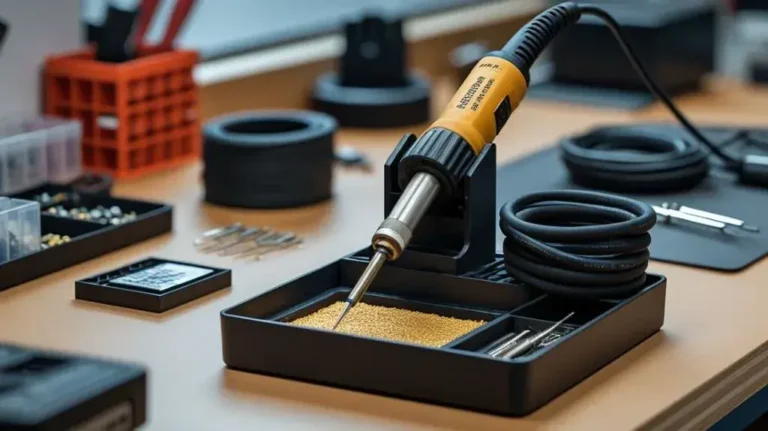
Some systems use a motion sensor in the handle or stand. Others detect whether the iron is resting in its holder. Depending on the design, the iron may recover when you move it, press a button, or wait for it to reheat.
How to adjust sleep or shutoff settings
Check the operating instructions for settings such as:
- Sleep mode
- Standby temperature
- Idle time
- Auto power-off
- Motion detection
- Temperature reduction
- Handle detection
Do not disable automatic shutoff unless you understand the safety consequences and the manufacturer allows the setting to be changed. Automatic shutoff is useful if the iron is accidentally left unattended.

Why Does the Iron Turn Off While I Am Soldering?
A soldering iron that shuts down during active use may have a power, temperature, or control problem. The following checks can help identify the cause.
Check the power connection
A loose plug or power connector can interrupt the heating cycle. This is especially common with irons that use a detachable low-voltage cable between the handle and the control station.
With the iron unplugged and completely cool, check that:
- The wall plug is fully inserted.
- The power adapter is firmly connected.
- The handle cable is seated correctly.
- The station’s power connector is not loose.
- The cord is not sharply bent near either end.
- The outlet or power strip is not switching off.
Avoid wiggling a live soldering iron cable to test it. Heat-resistant insulation can hide internal damage, and moving a cable near a hot tip creates an unnecessary burn risk.
If other devices also lose power from the same outlet, the problem may be with the outlet, power strip, circuit, or adapter rather than the iron.
Look for a damaged cord or plug
A worn cord may cause intermittent shutdowns, particularly near:
- The plug
- The strain relief
- The handle connection
- The point where the cord enters the control unit
Warning signs include exposed conductors, cracking, discoloration, an unusual smell, or a cord that becomes hot. Stop using the iron if you see any of these conditions. A damaged power cord should be replaced with a suitable part rather than repaired with tape.
Check whether the temperature controller is resetting
Temperature-controlled irons may briefly stop heating when they reach the selected temperature. That is normal. The controller switches power to the heating element on and off to maintain the target temperature.
A normal heating cycle is different from a complete shutdown:
| What you observe | Likely explanation |
|---|---|
| The display remains on and the iron maintains heat | Normal temperature regulation |
| The temperature falls briefly, then recovers | Heat recovery or normal control behavior |
| The display goes dark and the iron stops responding | Power interruption or controller fault |
| The iron shows an error code | Sensor, heater, or controller problem |
| The iron restarts when the handle is moved | Possible cable, connector, or sensor issue |
If the entire station goes blank, the issue is probably not ordinary temperature regulation.
Could the Soldering Iron Be Overheating?
Some soldering irons shut down to protect the heating element, temperature sensor, or electronic controller. Overheating can result from blocked ventilation, excessive ambient heat, an internal fault, or an unsuitable power source.
Signs of overheating protection
The iron may be overheating if:
- It works for a while and then shuts down.
- The control unit feels unusually hot.
- A fan is noisy, blocked, or not running when it normally should.
- The iron works again after cooling.
- The tip temperature becomes unstable before shutdown.
- An error message appears.
Place the control unit on a hard, open surface with space around its ventilation openings. Do not cover it with cloth, paper, or other materials. Keep soldering equipment away from direct heat sources and avoid operating it in an enclosed area with poor airflow.
Never open a powered soldering station to inspect internal parts. Some components may remain electrically charged after unplugging, and the tool contains hot surfaces.
Avoid using an unsuitable power source
A portable or USB-powered soldering iron may shut off if its power source cannot provide the required output. A weak adapter, damaged cable, depleted battery, or overloaded USB hub can cause intermittent operation.
Use the power adapter and cable specified for the iron. Avoid assuming that any cable or charger with the same connector is compatible. Connector shape alone does not confirm that the voltage, current, or power delivery is suitable.
For battery-powered irons, a low battery can also cause the tool to stop heating or shut down unexpectedly. Recharge the battery using the recommended charger and allow the tool to cool if it has been operating continuously.
Is the Soldering Iron Losing Contact With Its Stand or Sensor?
Some soldering stations use a stand or handle sensor to determine whether the iron is being used. Dirt, misalignment, or damage can cause the system to misread the handle’s position.
Check for:
- A bent or damaged holder
- Dirt or solder residue around the stand
- A sensor blocked by debris
- A handle that does not sit correctly in the holder
- A loose connection between the stand and station
- A motion sensor that fails to detect movement
Unplug the station and let the iron cool before cleaning. Remove loose debris with a dry, nonconductive method recommended by the manufacturer. Do not pour liquid into the stand or use aggressive cleaners near electronic contacts.
If the iron heats normally outside the stand but repeatedly sleeps while resting in it, review the sleep settings and inspect the stand alignment.
Could the Heating Element or Temperature Sensor Be Failing?
A soldering iron may shut down when its heating element or temperature sensor begins to fail. The controller relies on sensor feedback to determine how much power to send to the heater. If that feedback becomes unreliable, the station may reduce power or stop as a protective measure.
Possible signs include:
- Slow or inconsistent heating
- Large temperature fluctuations
- Repeated error messages
- A tip that becomes hot and then suddenly cold
- A display temperature that does not match the actual behavior
- Shutdowns that occur at different times without a clear pattern
- The iron working again only after being unplugged and restarted
A worn tip alone usually does not make the entire iron shut off, although a damaged or poorly fitted tip can cause poor heat transfer and make the iron appear weak. If the display goes completely blank, focus first on the power supply and controller rather than the tip.
Heating elements, sensors, and internal control boards are often model-specific. Do not substitute random parts or bypass a sensor. If the iron is still under warranty, contact the manufacturer or seller. Otherwise, repair may be practical only if compatible replacement parts and service information are available.
Can the Soldering Tip Cause the Iron to Turn Off?
A dirty, oxidized, or poorly tinned tip usually causes heating and soldering problems rather than a full electrical shutdown. The tip may not transfer heat effectively, making it seem as if the iron is not working.
A poor tip condition can lead to:
- Solder that melts slowly
- A tip that appears cooler than expected
- Poor wetting on the workpiece
- Excessive oxidation
- Longer contact with the joint
- A temperature drop during use
Clean and tin the tip according to the manufacturer’s instructions. Use the correct tip type and ensure it is fully seated if the design requires a removable cartridge or sleeve.
If the iron’s display and power remain active, tip maintenance may solve the performance issue. If the display turns off completely, tip cleaning is unlikely to be the main solution.
A Practical Troubleshooting Sequence
Follow these checks in order. Begin with the simplest possibilities and stop if you find a clear fault.
Observe the shutdown pattern.
Note whether it happens only when the iron is idle, only in the stand, after a fixed period, or randomly during active soldering.Check the display or indicator lights.
A sleep symbol, temperature icon, or error code may reveal whether the tool is in standby or reporting a fault.Test the outlet or power strip.
Confirm that the power source remains active and that another device does not reveal an outlet problem.Inspect the cable and connectors while unplugged.
Look for looseness, visible damage, heat discoloration, or contamination.Review the sleep and auto-shutoff settings.
Adjust them only within the options allowed by the manufacturer.Allow the iron to cool completely.
If it operates again after cooling, overheating protection or a heat-related fault may be involved.Check ventilation.
Make sure the control station is on a hard, open surface and that vents are not blocked.Try a known-compatible power adapter or cable if the design permits it.
Use only parts with the correct specifications.Clean and reseat the tip.
This can improve heat transfer but will not usually fix a blank display or total power loss.Stop using the iron if the problem continues with warning signs.
Sparks, smoke, burning odor, exposed wiring, severe overheating, or repeated electrical resets require removal from service.
Common Mistakes That Can Make the Problem Worse
Repeatedly switching the iron on and off
Rapidly cycling power may not solve an intermittent fault and can add stress to the switch, connector, or controller. Turn the iron off, unplug it when appropriate, and allow it to cool before inspecting it.
Assuming every shutdown is a malfunction
If the iron sleeps only after inactivity and resumes normal operation when moved, that behavior may be intentional. Check the settings before attempting repairs.
Using a random charger or adapter
A connector that fits may still provide the wrong voltage or insufficient current. Use the specified adapter or a verified replacement.
Blocking the ventilation openings
Placing the control station on a soft surface or covering it with tools, cloth, or packaging can restrict airflow and contribute to overheating.
Opening the station without proper knowledge
The problem may involve mains voltage, stored electrical energy, or hot components. Internal repairs should be handled by a qualified person or an authorized service center.
Blaming the tip for a total power failure
A worn tip can reduce soldering performance, but it generally does not cause the control unit to lose power. Separate tip problems from electrical or controller problems.
When Should You Replace or Service the Iron?
Service or replacement is appropriate when the iron:
- Shuts down repeatedly during normal use
- Shows persistent error codes
- Has a damaged power cord or plug
- Produces a burning smell or smoke
- Becomes unusually hot outside the tip area
- Trips a circuit or power protection device
- Fails after testing a suitable outlet and power connection
- Only works when the cable is held in a particular position
- Cannot maintain a stable temperature
- Has a failed heating element, sensor, or controller
A simple loose connection or incorrect sleep setting may be easy to resolve. A failed control board or temperature sensor may cost more to diagnose and repair than a basic soldering iron is worth. Use the manufacturer’s service guidance when available rather than bypassing protective features.
Safety Checks Before Testing the Iron
Soldering irons can cause burns, start fires, and damage nearby materials. When troubleshooting:
- Place the iron in a stable heat-resistant stand.
- Keep flammable materials away from the hot tip.
- Unplug the tool before inspecting cables, connectors, or the stand.
- Allow the tip and surrounding parts to cool before handling them.
- Do not operate equipment with exposed wires or a damaged plug.
- Do not bypass thermal protection, sensors, fuses, or automatic shutoff features.
- Stop using the iron if it produces smoke, sparks, or a strong burning odor.
If the tool repeatedly trips an electrical protection device, do not keep resetting it and trying again. Remove the iron from service until the fault is properly diagnosed.
Frequently Asked Questions: Why Does My Soldering Iron Keep Turning Off
Why does my soldering iron turn off when I put it in the stand?
Many soldering stations detect that the handle is in the stand and enter sleep mode or automatic shutoff. Check the station’s idle-time and stand-detection settings. If it shuts off completely and does not recover when removed from the stand, inspect the stand connection and sensor for damage or contamination.
Why does my soldering iron turn off after a few minutes?
A shutdown after a predictable period may be caused by automatic shutoff, overheating protection, a weak battery, or an inadequate power source. Check whether the tool restarts after cooling and whether the display indicates sleep mode or an error.
Why does my soldering iron turn off when I move the cable?
Movement-related shutdowns often point to a loose connector, damaged cable, or broken conductor near a strain-relief point. Unplug the iron and inspect it. Do not continue using the tool if moving the cord changes its power behavior.
Can a dirty soldering tip make the iron shut off?
A dirty or oxidized tip can prevent efficient heat transfer, but it usually does not make the entire iron lose power. If the display stays on, clean and tin the tip. If the display goes blank, investigate the power supply, cable, controller, or protection circuit.
Is it safe to keep using a soldering iron that keeps shutting down?
It depends on the cause. Normal sleep mode is generally an intended feature, but repeated unexplained shutdowns, overheating, smoke, sparks, burning odors, or damaged wiring are reasons to stop using the iron until it has been inspected or repaired.
Should I disable the automatic shutoff?
Automatic shutoff reduces the chance of leaving a hot tool unattended. It may be adjustable for certain work situations, but disabling it can increase fire and burn risks. Keep the feature enabled unless there is a specific, safe reason to change it and the manufacturer permits adjustment.
Final Takeaway
A soldering iron that keeps turning off may simply be entering sleep mode, especially if it shuts down only while resting in its stand. If it stops during active soldering, check the outlet, cable, connectors, power adapter, ventilation, and overheating behavior before assuming the heating element has failed.
Do not bypass safety features or continue using a tool with damaged wiring, smoke, sparks, or unusual heat. If basic checks do not identify the cause, the problem may involve the temperature sensor, heating element, or internal controller and should be handled through qualified repair or replacement.

Scott Yarnell is a tool expert focused on practical guides, product research, and real-world tool performance to help readers make informed decisions.